

How to customize the affiliate portal guide
The affiliate guide is a page inside the affiliate portal, under Guide in the menu. It’s your briefing for every partner: how to get their link, what they earn, when they’re paid and how to promote you. A clear guide gets partners to their first sale sooner and saves you answering the same questions by email.
What you’ll set up
Section titled “What you’ll set up”- A guide that matches what your program really offers
- Your affiliate’s own commission rate, filled in automatically
- Optional: images, such as product shots or a banner
- A check of the guide in the live portal
Bloop starts you with a ready-made guide in four parts: Getting started, Commission structure, Promotion tips and Terms and conditions.
How to edit the guide
Section titled “How to edit the guide”-
Open the Affiliate guide
-
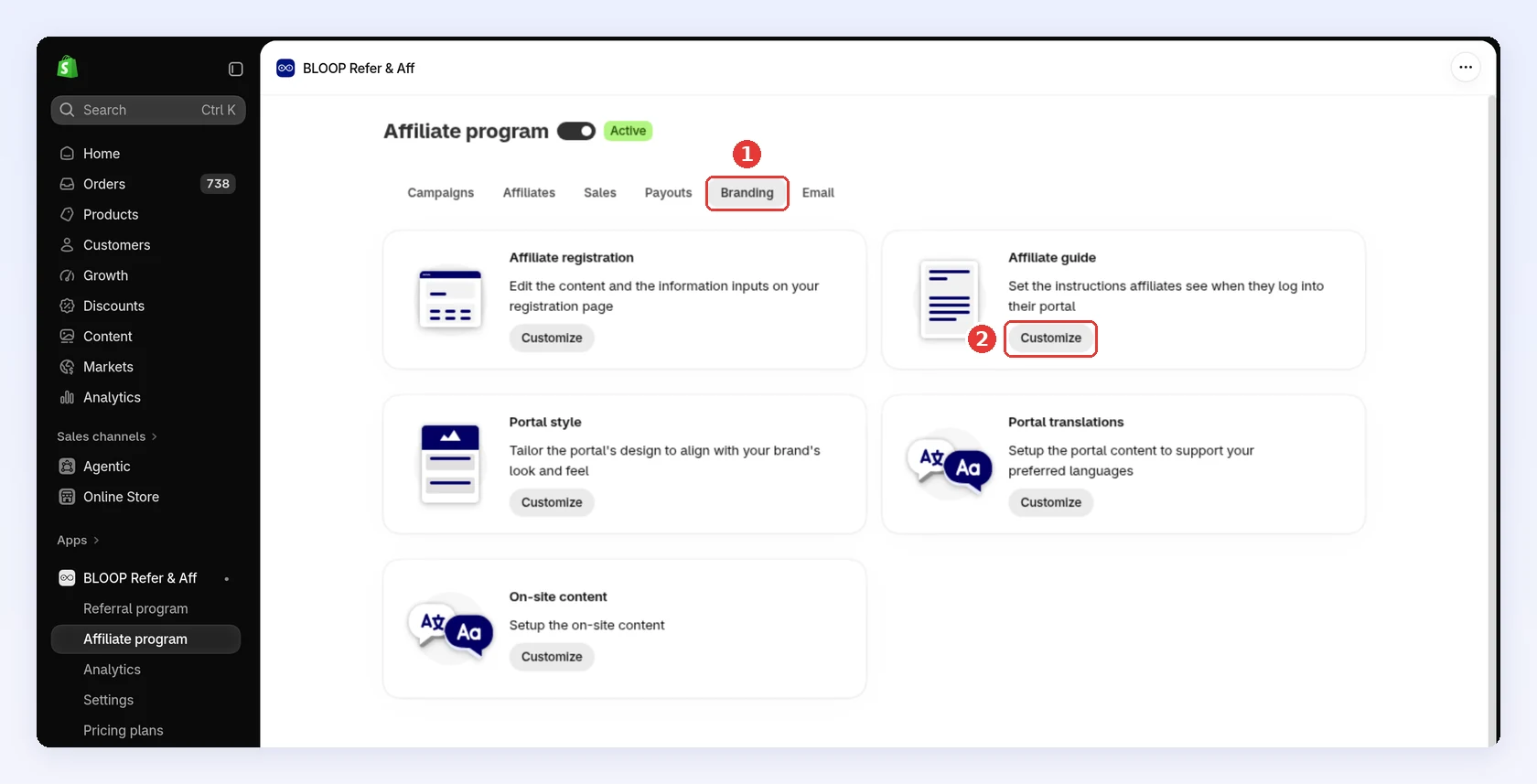
In your Shopify admin, open BLOOP Refer & Aff → Affiliate program, then the Branding tab.
-
On Affiliate guide, click Customize:
-
-
Write your guide → Click Save
-
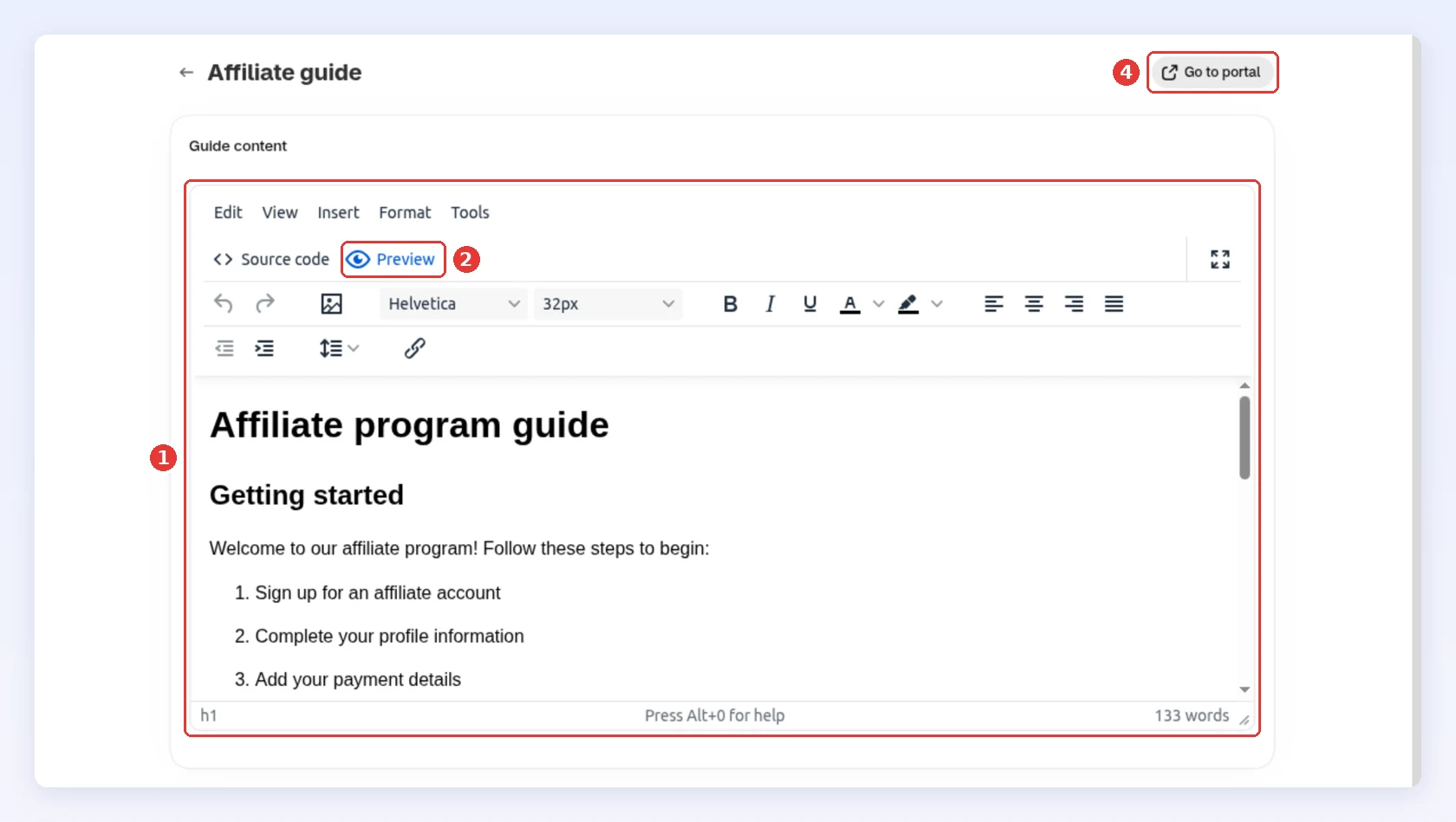
Edit the text in Guide content. Use the toolbar for headings, lists, colors and links, or Source code to edit the HTML.
-
Click Preview to read the guide as one page.
-
Click Save in the bar at the top of the page.
-
Click Go to portal to open the guide in your live portal:
-
Show each affiliate their own rate
Section titled “Show each affiliate their own rate”Type {{commission_value}} anywhere in the guide, with two curly braces on each side, instead of typing the rate by hand: a typed rate goes out of date when you change a campaign. In the portal, each affiliate sees the rate of their own campaign:
| Affiliate’s campaign | {{commission_value}} shows |
|---|---|
| Basic, Percentage of sales | The percent, for example 15% |
| Basic, Fix per order or Fix per item | The amount in your currency, for example $10, with no “per order” or “per item”. Write that part yourself |
| Advanced | The rate of the last level, which is the highest one |
| No campaign | 10%, a fixed figure not tied to any campaign |
Preview shows {{commission_value}} as typed. Only the live portal fills it in. It’s the only value the guide fills in: write your cookie window and payout schedule as plain text.
Add an image
Section titled “Add an image”Add images by link. The upload option in the image dialog isn’t supported:
-
In Shopify, go to Content → Files, upload your image and copy its link.
-
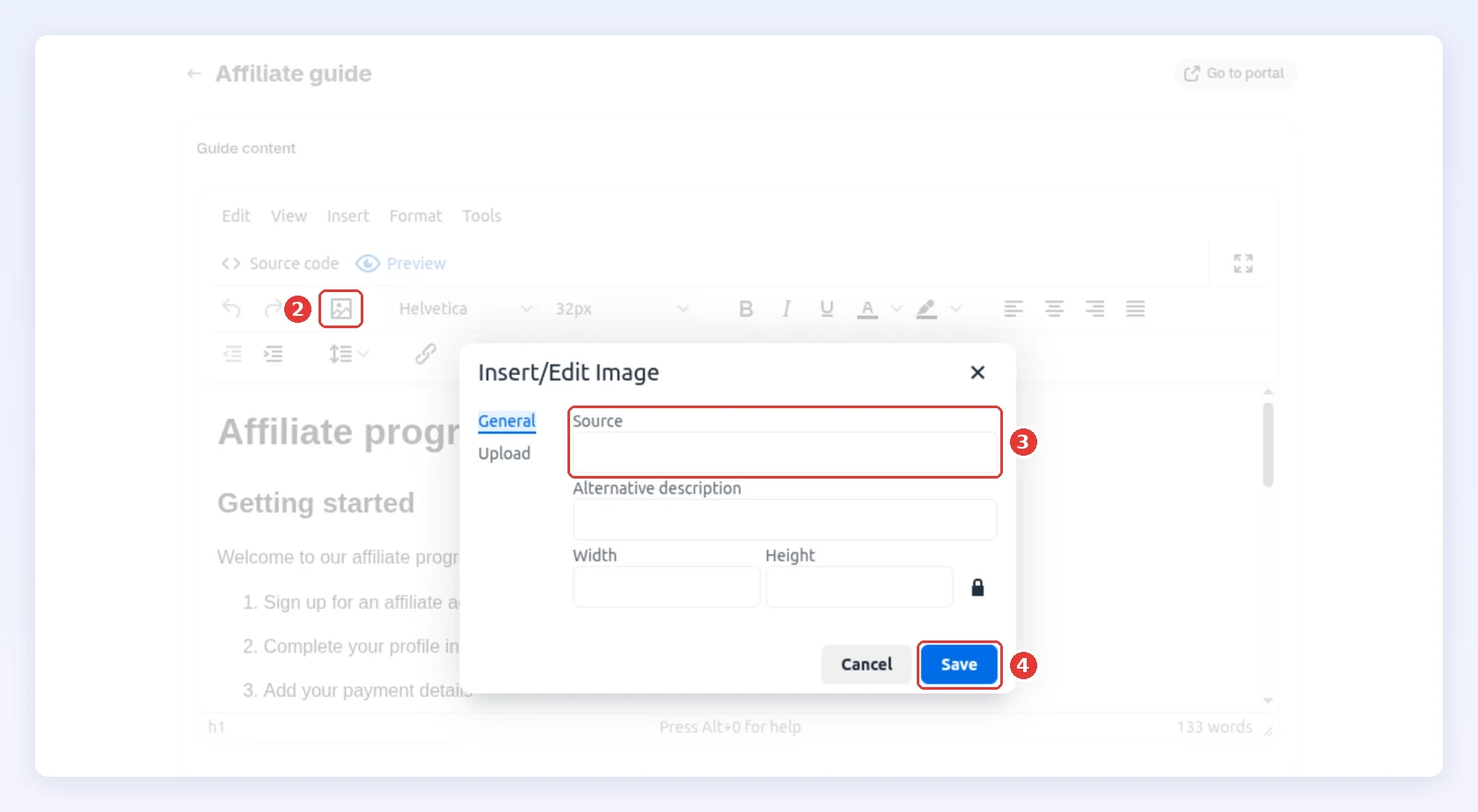
In the editor, click the image button.
-
Paste the link into Source.
-
Click Save in the dialog, then Save the page:
A guide you can start from
Section titled “A guide you can start from”Partners act on a guide that answers five questions: what they earn, when they’re paid, where their link is, how to promote you, and who to ask. Paste this into Source code, then replace everything in square brackets:
<h1>Welcome to the [Store name] partner program</h1><h2>What you earn</h2><p>You earn {{commission_value}} on every sale you refer. A sale counts if the customer buys within [30] days of clicking your link.</p><h2>When you get paid</h2><p>We pay commissions by [PayPal] every [month], once they're approved. Add your payment details under Settings so we can pay you.</p><h2>Get your link</h2><p>Your link is on your Dashboard. To link to one product, open Products and copy its affiliate link.</p><h2>How to promote us</h2><ul> <li>[Show the product in use, with your honest opinion]</li> <li>[Share your link in your bio, stories or newsletter]</li> <li>[Please don't bid on our brand name in search ads]</li></ul><h2>Questions?</h2>Keep promises to what you really do. If your payout runs when you approve it, say so rather than giving a fixed date.
How it looks to affiliates
Section titled “How it looks to affiliates”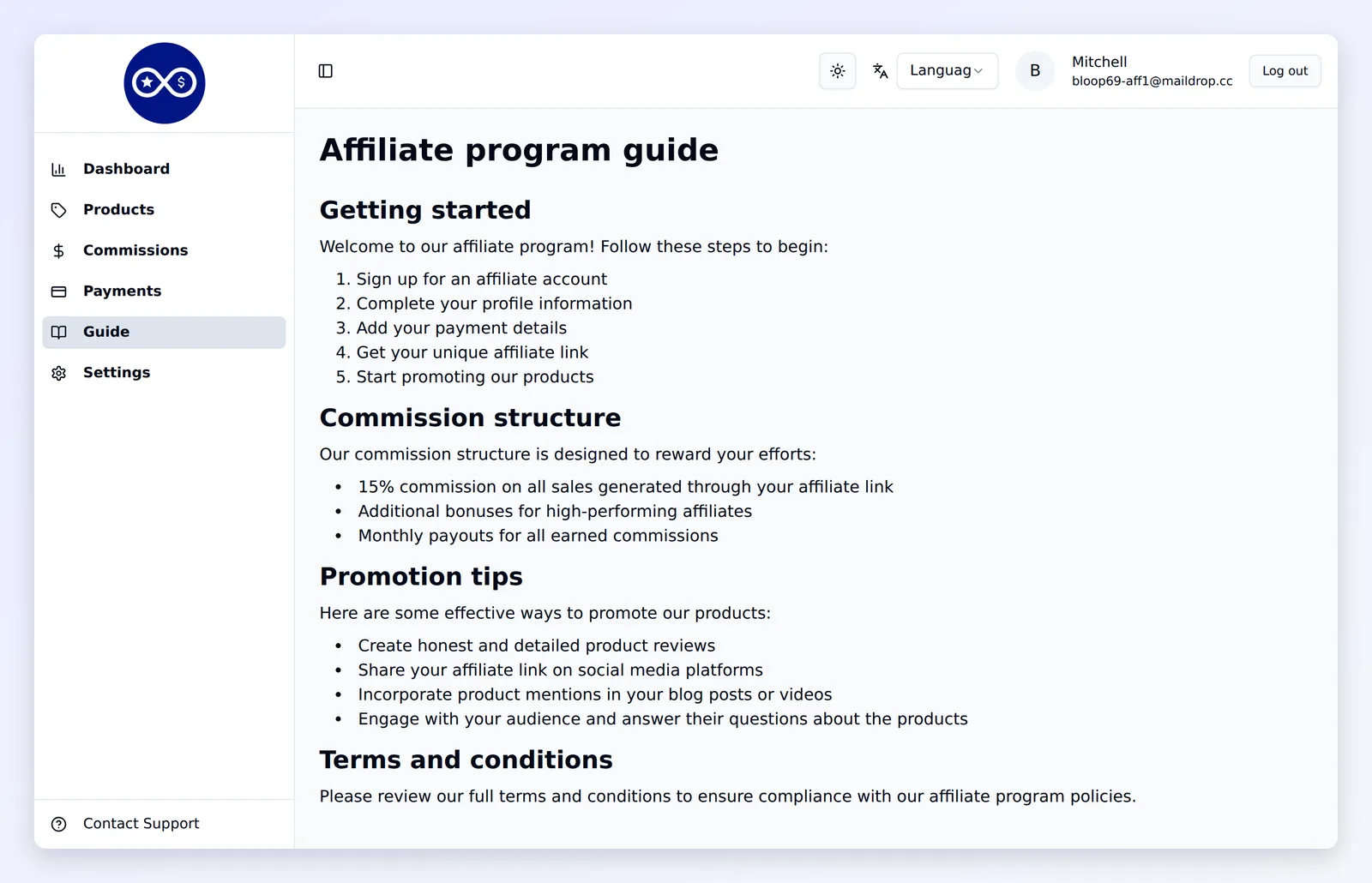
If a campaign has lifetime commission on, the affiliate’s campaign card also says what they earn on a referred customer’s later orders, and repeat orders carry a Repeat order badge on their Commissions page. Mention it in your guide so affiliates know to bring in customers who come back.
The guide is shown exactly as you write it, in one language. Portal translations only rename the Guide menu item. If your partners read different languages, write the guide in one they all understand, or put each language under its own heading.
Related
Section titled “Related”- Affiliate campaigns and commissions - the rates
{{commission_value}}shows - Style your affiliate portal - logo, color and title for the same portal
- Portal translations - translate the rest of the portal
- Managing affiliates - log in as an affiliate to check the guide