

Understanding day-to-day affiliate management
Once affiliates are live, your weekly work happens on three tabs of Affiliate program: Affiliates (1), Sales (2) and Payouts (3).
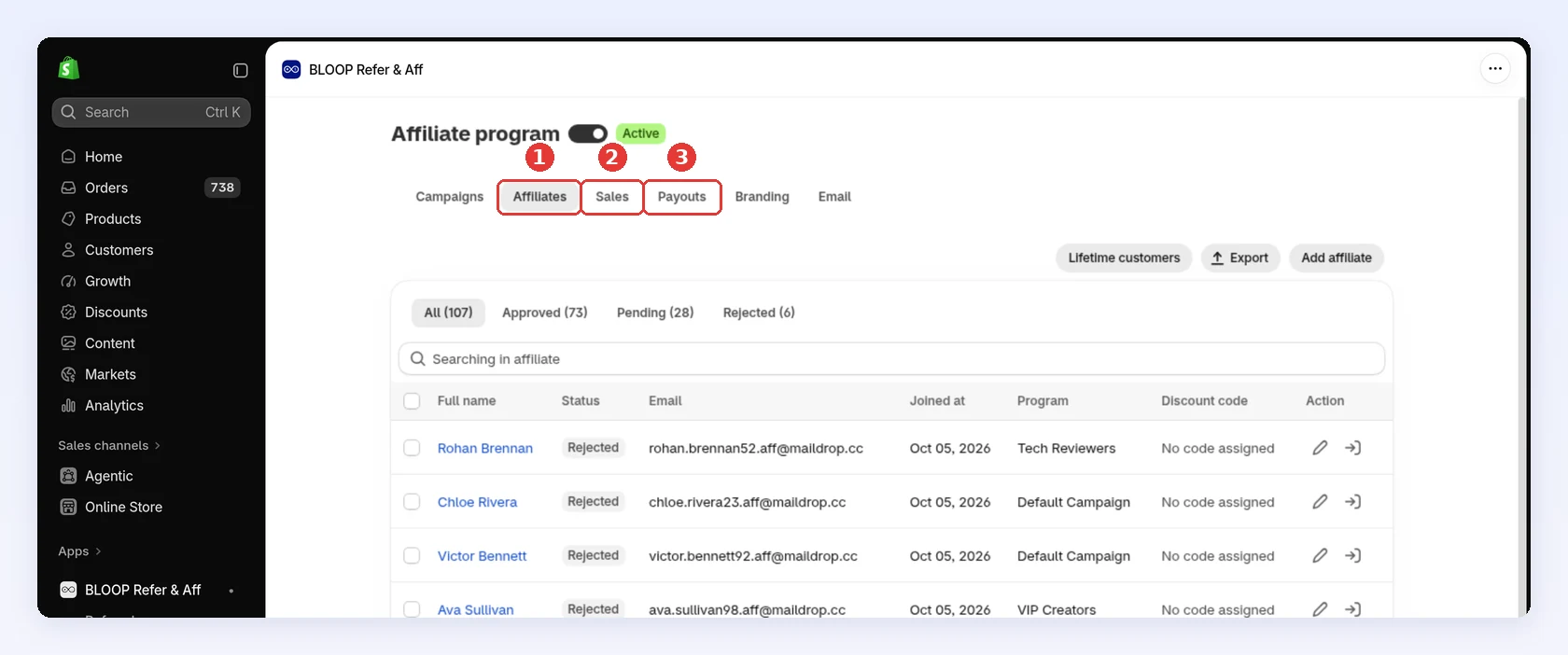
| Tab | What you do there | How often |
|---|---|---|
| Affiliates | Approve or reject applicants, move partners between campaigns | When you get a New affiliate registration email |
| Sales | Approve or reject each commission | Weekly, or never if sales approve themselves |
| Payouts | Pay affiliates outside Bloop, then click Mark as paid | On a schedule you choose, after your return window |
To stop a partner earning, Reject them. Delete permanently erases the affiliate together with their sales, payouts and clicks. See Deleting affiliates.
What runs on its own
Section titled “What runs on its own”| Task | By default | Can it run on its own? |
|---|---|---|
| Approving new affiliates | You approve each one | Yes: set Affiliate approval automation to Immediately |
| Approving sales | You approve each one | Yes: set Order approval automation to Immediately. A sale where the affiliate bought through their own link still waits for you |
| Taking back commission on a canceled or refunded order | Automatic, until the sale is paid | Always on. Choose which events count in Order Settings |
| Lowering commission after a partial refund | Automatic, until the sale is paid | Always on |
| Paying affiliates | You pay, then click Mark as paid | No. Bloop never sends money |
Both approval settings are in Settings → Affiliate → Automation. See Affiliate settings.
The one rhythm that matters
Section titled “The one rhythm that matters”Pay after your return window, not before. Approving a sale pays nothing: it only adds the commission to the affiliate’s unpaid balance. While a sale is Pending or Approved, Bloop sets it to Rejected automatically if the order is canceled or refunded (whichever you chose in Order Settings). Once a sale is Paid, nothing changes it, and the commission is never taken back.
So approving early is safe, even with Order approval automation set to Immediately, and paying early is where money leaks. When you open an affiliate’s payout, you tick which approved sales to pay: tick only the ones whose orders are past your return window, and leave the rest for next time.
To hear about new work without checking the tabs, turn on the New affiliate registration and New sales emails under Store owner (You) in the Email tab, and add the address they should go to. Both are off until you do. See Affiliate email notifications.
When something has gone wrong
Section titled “When something has gone wrong”A sale that never appeared, a commission that looks wrong, or a partner you can’t pay → Troubleshooting affiliate sales and payouts.
Related
Section titled “Related”- How to configure affiliate settings - the approval and revoke settings behind this page
- Paying affiliates reliably - how to set a payout schedule partners trust