

Best practices: paying affiliates reliably
Affiliates stay with programs that pay on time. Keep three habits: approve sales on a regular schedule, pay on a set day with a minimum amount, and record each payment as soon as you send it. Bloop tracks what you owe, and you send the money from your own bank or PayPal.
How payouts work in Bloop
Section titled “How payouts work in Bloop”Bloop never sends money. It tracks the commission you owe each affiliate, and you pay them with your own tool. Then you record the payment with Mark as paid.
Only approved sales are payable. A payout turns those approved sales into Paid sales and emails the affiliate a payout notice.
Approve before you pay
Section titled “Approve before you pay”A sale starts as a claim, not a payment. Use the time between the two to catch cancelled orders, refunds, and suspicious sales before you send money.
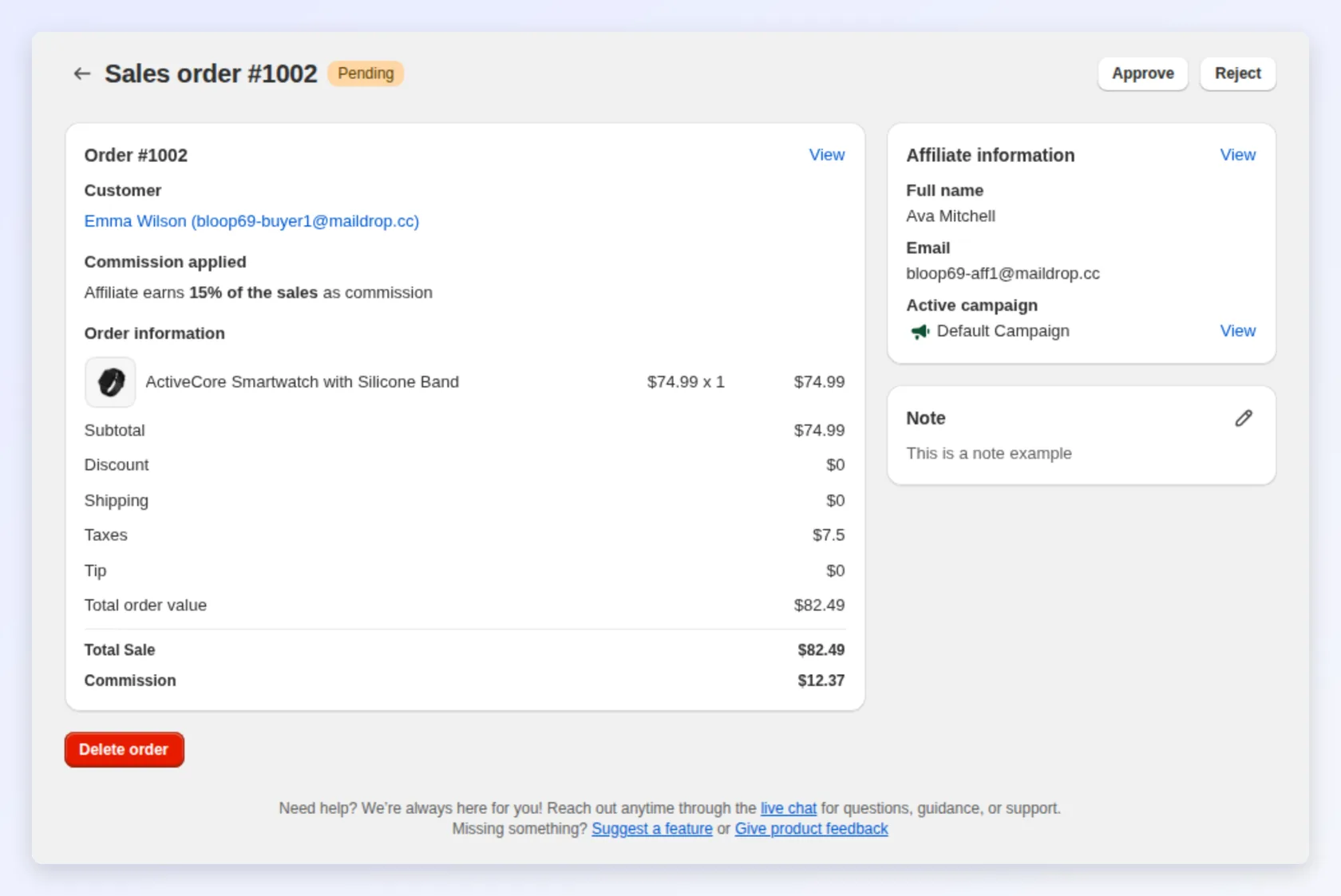
- Keep sales on Manually. Sales stay Pending until you approve them. This is the default. If you set Order approval automation to Immediately, every sale is approved as it arrives and the review step is gone. See affiliate settings.
- Review sales weekly, and pay only after the refund window. Until a sale is paid, Bloop rejects its commission if the order is cancelled or fully refunded, and recalculates it after a partial refund. Your review covers what Bloop cannot decide, such as a sale left Pending because the buyer’s email matches the affiliate’s.
- Look for anything unusual. Check for a sudden spike from one affiliate, or unusually large orders, before you approve the rest.
Do this in the sales review tab.
Choose a schedule and a minimum, then keep them
Section titled “Choose a schedule and a minimum, then keep them”Bloop does not enforce a schedule or a minimum payout. These are your rules, and they work best when you keep them every time.
- Schedule: pay on a fixed day each month, so affiliates know when to expect payment.
- Minimum: wait for a small balance before you pay, to avoid many tiny transfers.
Tell affiliates your schedule and minimum when they join, so there are no surprises.
Record each payout when you send it
Section titled “Record each payout when you send it”The payouts page has two views:
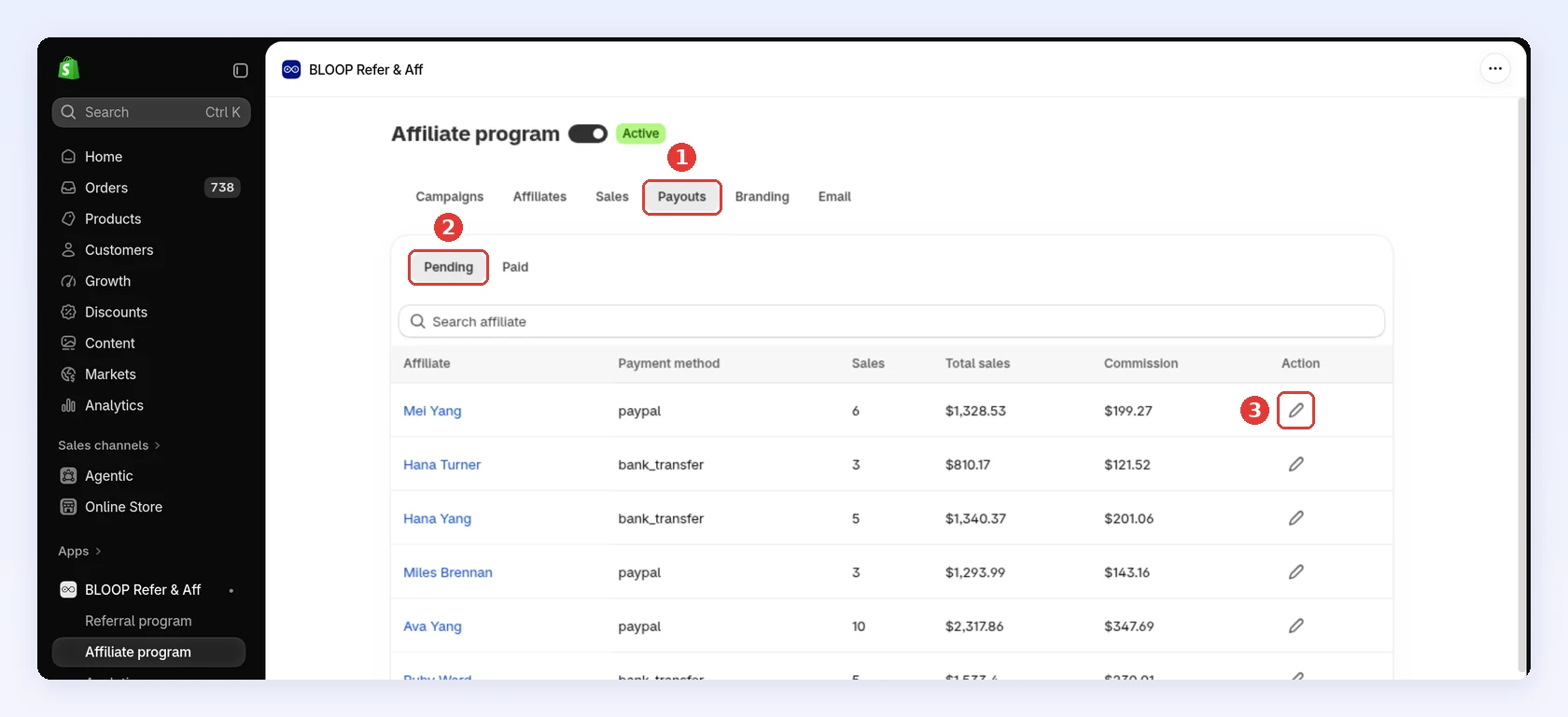
- Pending: what you still owe each affiliate, based on approved, unpaid sales.
- Paid: the payouts you have recorded.
The Pending view is accurate only if you record each payment when it leaves your account. If you skip this, the balance stays on the list, and you may pay it twice.
Keep your own record of transfers
Section titled “Keep your own record of transfers”The Paid view shows the affiliate, payment method, number of sales, total, commission, and the date you recorded the payment. It does not show the note, message, or payment details you entered, and payouts cannot be exported.
To keep full records:
- Save your bank or PayPal transfer records each month.
- Export your sales from the sales review and check the paid status of each sale against your transfers.
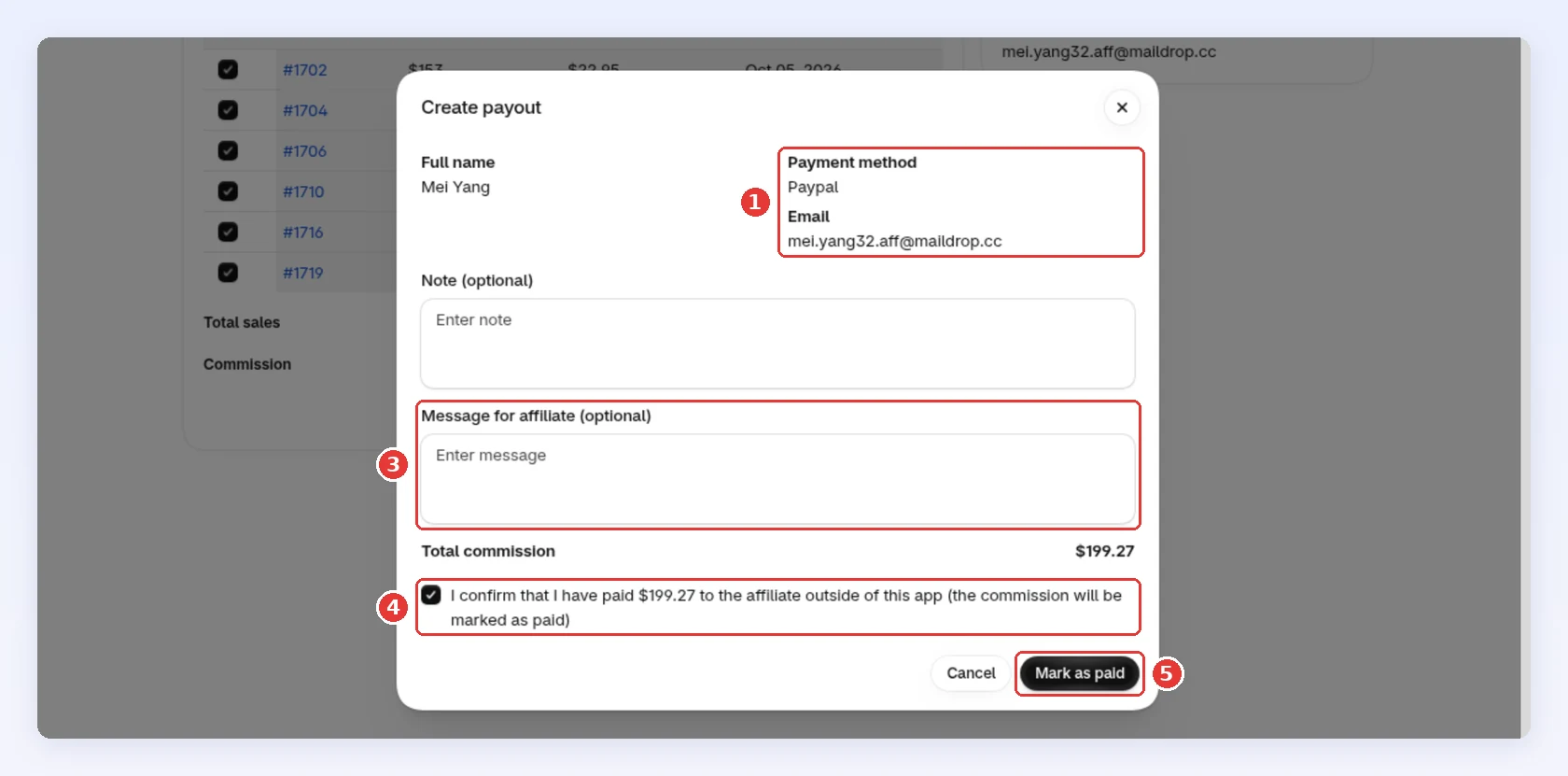
- Copy the note and message you enter in Mark as paid into your own records.
Set it up in Bloop
Section titled “Set it up in Bloop”- Approve sales in the affiliate sales review.
- Pay affiliates and record each payment in affiliate payouts.
- Set the commission those payouts use in a commission structure that scales.