

How to launch an affiliate program
An affiliate program is a pay-for-performance sales channel: you recruit external partners — creators, bloggers, publishers — and pay them a commission only on the orders they actually drive. Cost scales with revenue, making it one of the lowest-risk ways to grow a Shopify store. Set a commission worth promoting, decide who gets in, and pay reliably; Bloop handles the tracking.
If you are deciding between this and a customer referral program, read referral program vs affiliate program. The short version: referral programs reward your existing customers for inviting friends, while affiliate programs reward partners for driving sales at scale. You can run both with Bloop at the same time.
How the affiliate flow works
Section titled “How the affiliate flow works”- You create a campaign that sets the commission structure and the attribution window (cookie).
- You add affiliates manually, or let them self-register through your registration form.
- Each approved affiliate receives a unique referral link (and optionally a discount coupon to share).
- When a customer orders through that link within the cookie window, Bloop records a sale and calculates the commission.
- You review sales, approve the valid ones, then pay out the approved commissions.
What gets created on setup
Section titled “What gets created on setup”The first time the affiliate module initializes for your store, Bloop creates a set of defaults so you can start immediately:

- A Default Campaign with a 15% percentage commission and a 30-day cookie window.
- The default affiliate email notifications (registration, sale approved/declined, new payout, and more).
- Default portal settings for the affiliate-facing portal.
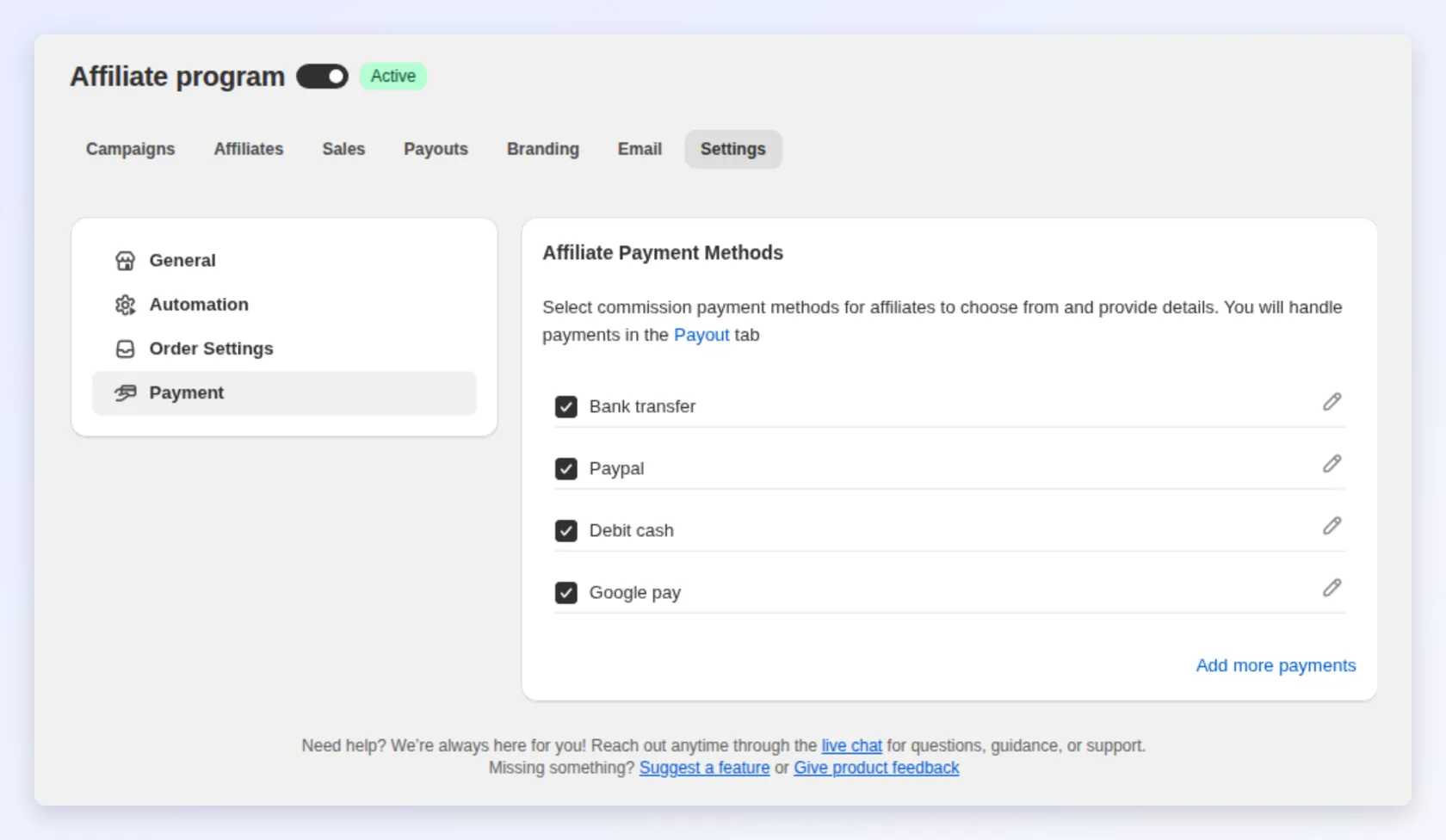
- A default set of payment methods (Bank transfer, PayPal, Debit cash, Google pay) you can enable and configure later.
You do not have to keep these defaults. Every one of them is editable from the affiliate dashboard.
1. Review or create your campaign
Section titled “1. Review or create your campaign”Open the Campaigns tab. You will see the Default Campaign already created.
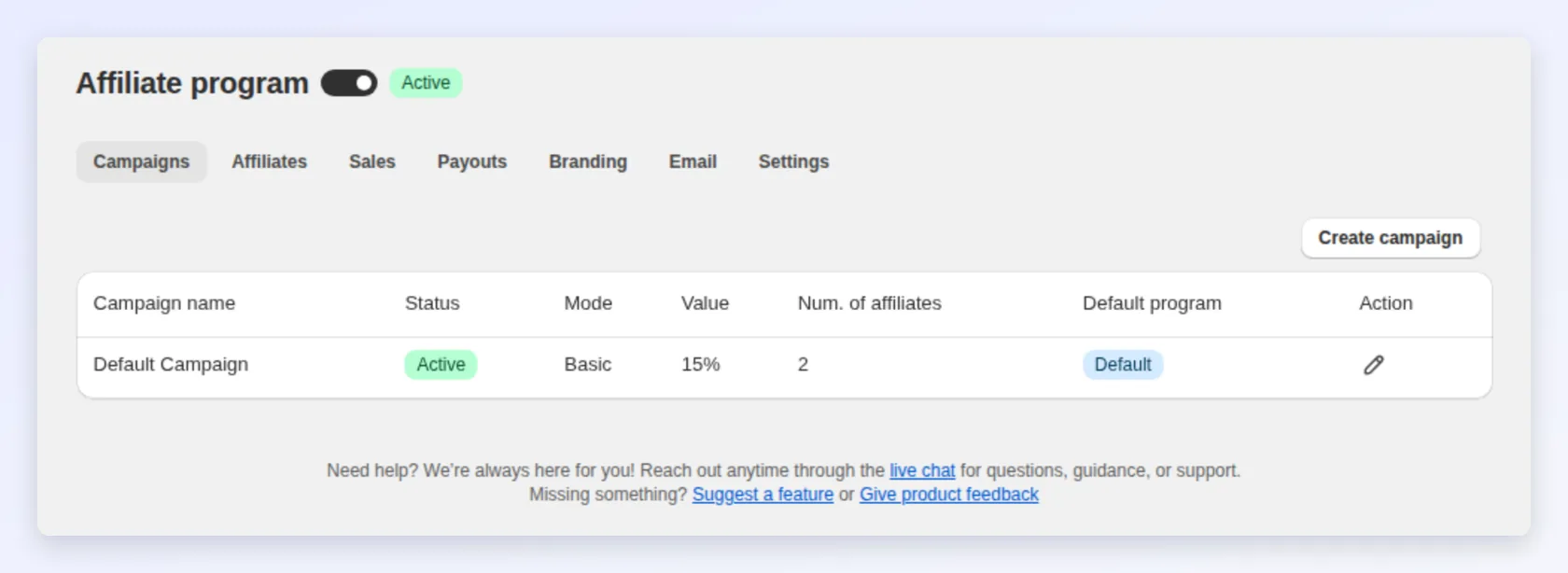
- Set the commission structure — a flat amount, a percentage, or tiered rates. See affiliate campaigns and commissions for every option and which model fits your margins.
- Set the cookie (attribution window) in days. This is how long after a click a purchase still counts for the affiliate. The default is 30 days.
- Optionally turn on an auto-apply discount so customers who arrive through an affiliate link get a discount automatically.
You can run multiple campaigns at once and assign different affiliates to different campaigns.
2. Add your first affiliates
Section titled “2. Add your first affiliates”You can populate your program two ways:

- Manually add an affiliate from the Affiliates tab by entering their name and email and assigning a campaign.
- Self-registration: add the registration form to a page in your store with the Bloop app block in your theme editor (Open app block in the registration form editor takes you there), then share that page’s link so affiliates apply themselves. New applicants land with a pending status until you approve them, unless you set Affiliate approval automation to Immediately in settings.
Full details, including approving applicants and the “login as” portal preview, are in managing affiliates.
3. Set up payment methods
Section titled “3. Set up payment methods”Before you owe anyone money, decide how you will pay. Open Affiliate → Settings → Payment and enable the methods you support, then edit the fields each one collects from affiliates. See affiliate settings for the configuration steps.
4. Go live
Section titled “4. Go live”Once you have a campaign, at least one approved affiliate, and payment methods configured:
- Check that the switch next to the Affiliate program title is on. While it is off, affiliate links and coupons stop working and orders create no sales.
- Confirm the campaign status is active.
- Share referral links (and coupons) with your affiliates, or point them to the registration form.
- Watch the Sales tab as orders start coming in.
Your affiliate program is now live. As affiliates drive orders, sales appear for review in the dashboard, and approved commissions become available to pay out.