

Best practices: making your referral program visible
Customers who never see your referral program never share it. Use four placements together, because each one reaches customers at a different moment.
| Placement | When customers see it | Set it up in |
|---|---|---|
| Post-purchase block | On the thank-you page, right after they buy | Post-purchase popup |
| Widget and popup | While they browse your store | Referral widget and popup |
| Referral page | Anywhere you link to it | Referral page |
| After they have left | Referral emails |
Start with the thank-you page
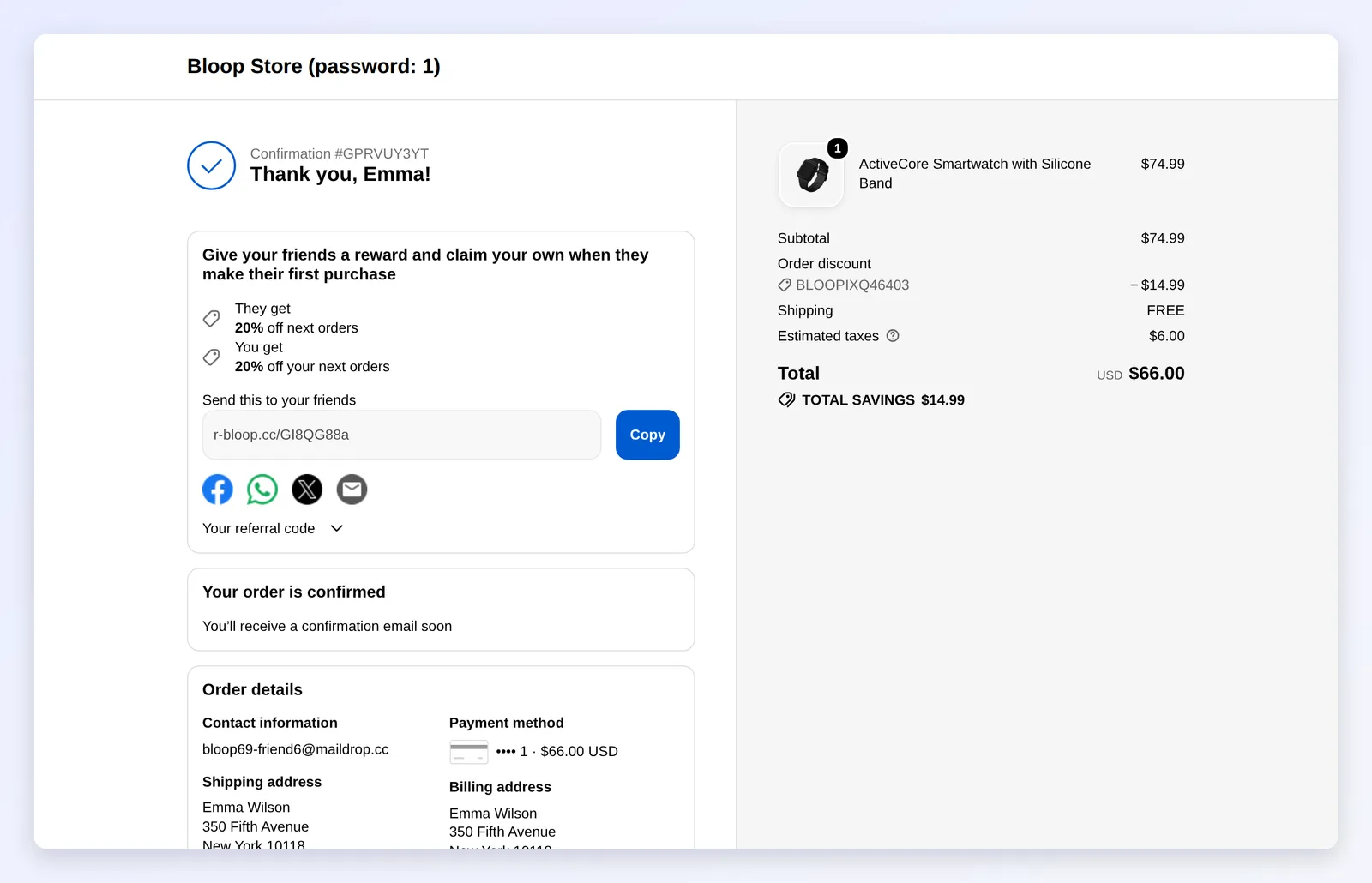
Section titled “Start with the thank-you page”Right after checkout, customers are happiest with you, so set this placement up first. Put the block near the top of the thank-you page, under the order confirmation, so buyers see it before they leave. Write the headline around the friend’s reward, for example “Give friends a discount, and earn one yourself.” Sharing then feels like a favor, not a request.
Keep the widget where buyers browse

Section titled “Keep the widget where buyers browse”The widget is the always-on invitation. Put the launcher on cart and product pages, where intent is high, rather than on every page of a busy store. Lead the launcher title with the reward, such as “Give $10, get $10” rather than “Rewards”, so visitors know what they get before they click.
Once a visitor opens it, the panel does the work. Keep it clean, with one headline and one share action.
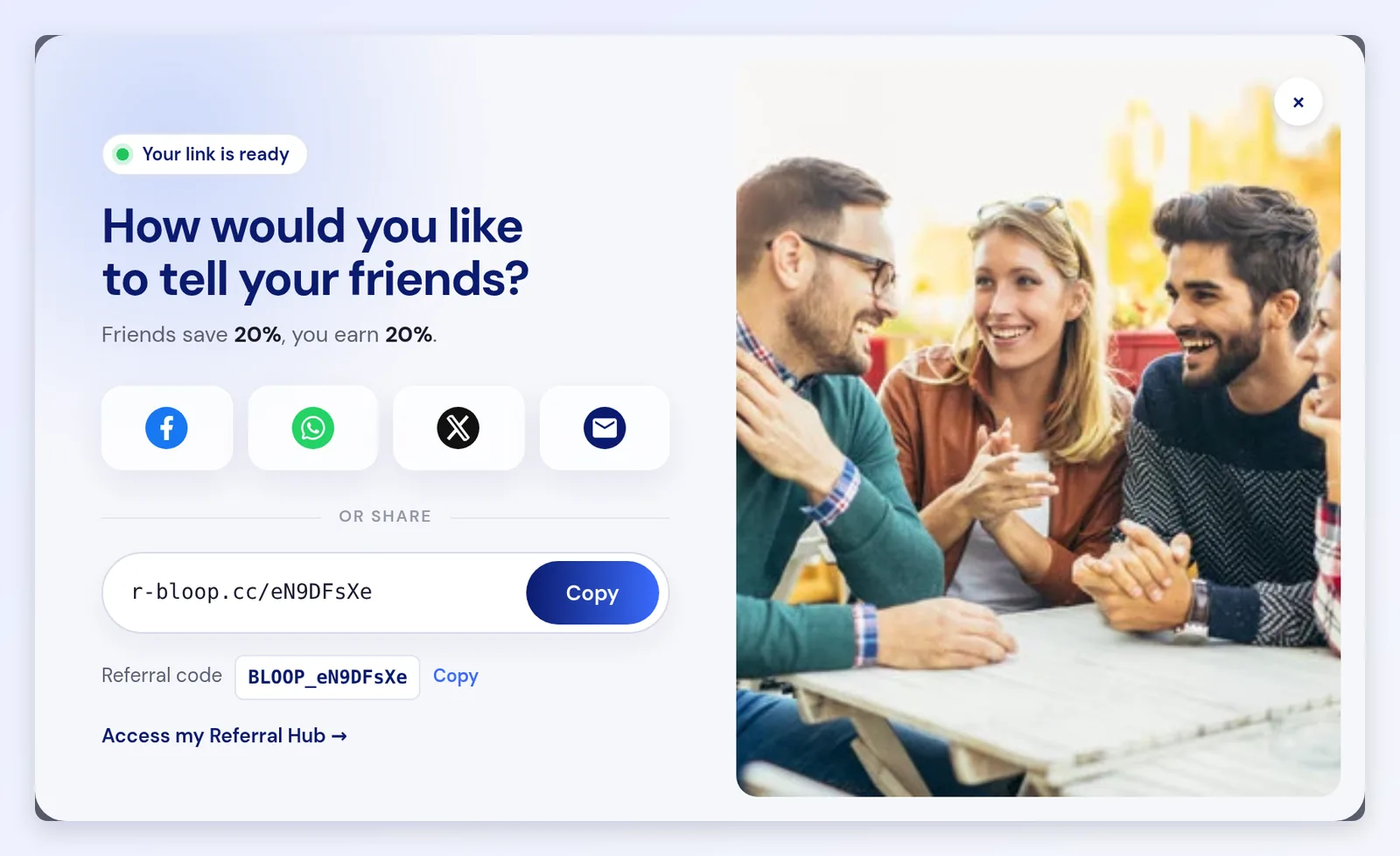
Set it up in the referral widget and popup branding.
Give the program a permanent page
Section titled “Give the program a permanent page”A referral page is the one link you can put in a menu, newsletter, order email, or social bio. Choose the handle on the Setup tab, where the default is referral-program. Choose it once: changing it after you have shared the link breaks every link already in circulation. Then add the page to your main menu or footer before launch, and link it from your newsletter and order emails, because a page nobody can find gets no traffic.
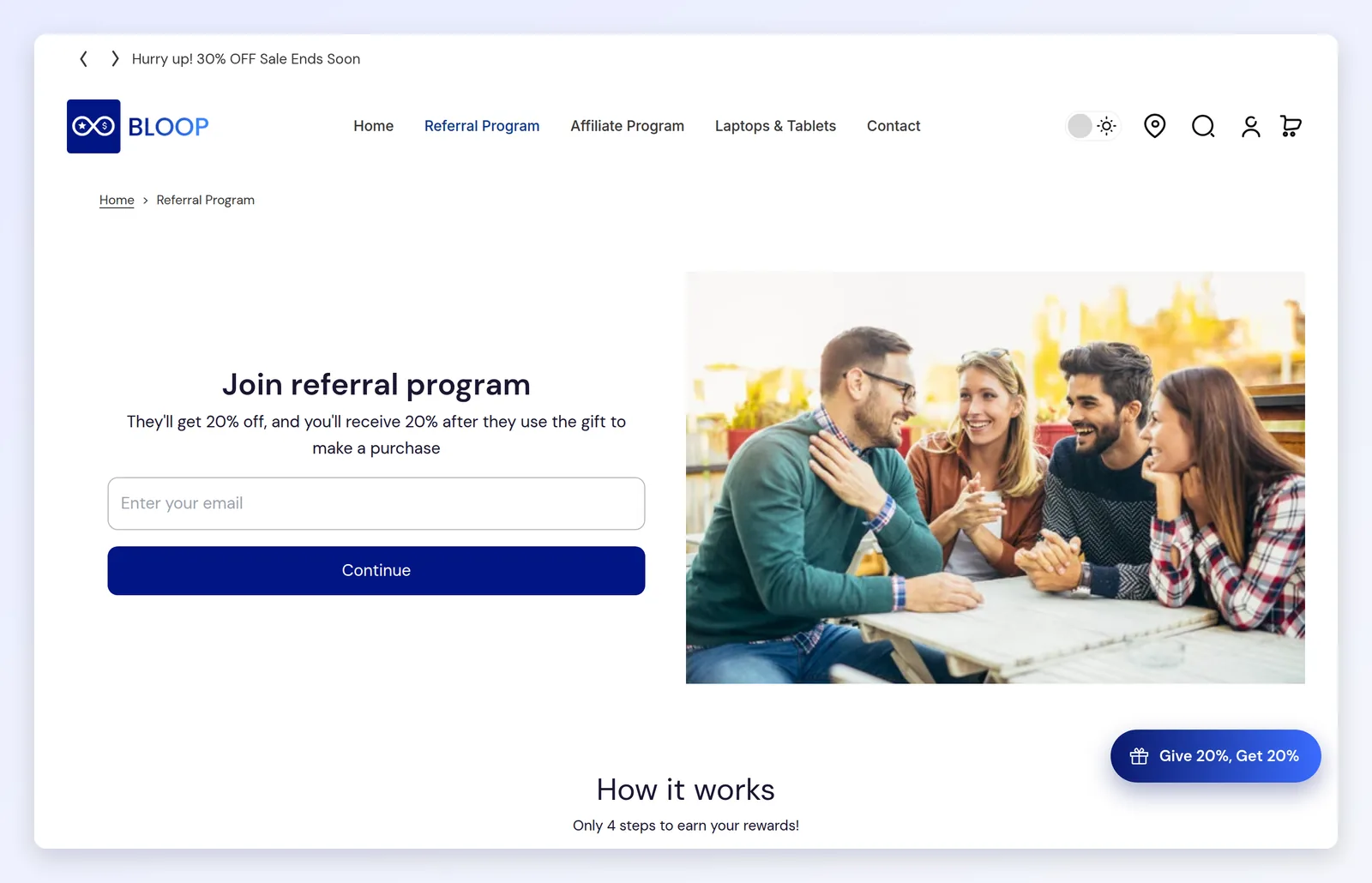
Set it up in referral page branding.
Use email for customers who have left
Section titled “Use email for customers who have left”The widget and the post-purchase block only work while a customer is on your store. Email reaches everyone else: lapsed customers, and referrers who need a reminder before their rewards expire. Switch on the referral emails before launch.
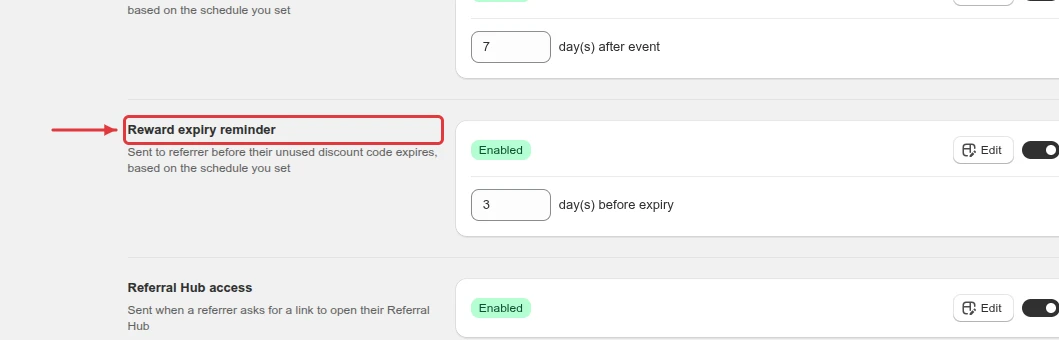
The reward expiry reminder, for example, goes to a referrer a set number of days before their unused discount code expires.
Check that each placement is being seen
Section titled “Check that each placement is being seen”Open the Setup health report in analytics. Its table lists Visitors who saw each entry point. An entry point with few visitors is in a spot few customers reach, so move it to a more visible place on your store.
Then check the Funnel report. A low Share rate means referrers join but do not share, so send them a referral email to remind them.
Launch order
Section titled “Launch order”Each placement is set up in the branding section of your referral campaign. Do these in order, so every placement works before you start promoting.

- Set the theme. Every other placement uses it.
- Turn on the post-purchase block and place a test order to check it.
- Brand the widget and popup so it matches your store, then turn it on.
- Publish the referral page and add it to your menu or footer.
- Switch on the referral emails.
- Start promoting.
To start referrals from the product a customer is viewing, also add the Referral Share Button to your product pages.
Common mistakes to avoid
Section titled “Common mistakes to avoid”- Creating the referral page but not saving its app block. The page shows only its title until you save the block.
- Over-branding the popup. A crowded, heavily styled popup converts worse than a clean one.