

Bloop FAQs
Common questions about getting Bloop live, understanding plans, cleaning up branding, and how referral links, codes, and store access work. If you’re setting up for the first time, start with getting started with referrals or getting started with affiliates.
Getting Bloop running
Section titled “Getting Bloop running”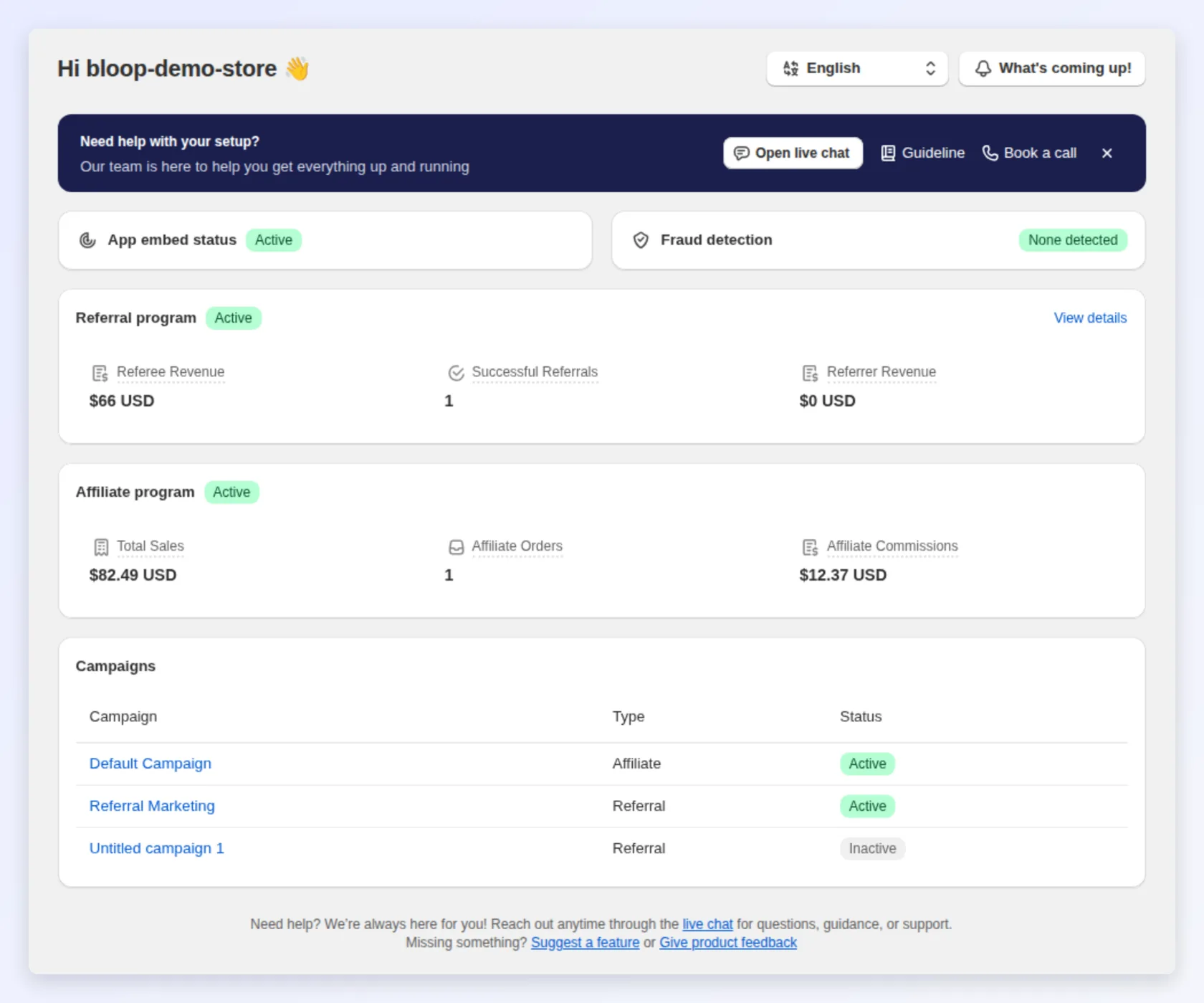
How do I enable the app embed block?
Section titled “How do I enable the app embed block?”Bloop’s storefront widgets — the referral popup, landing page, sharing buttons, and account extension — only appear once you enable the app embed block in your theme. Do this before you launch.
- On the Bloop home screen, find the App embed status card. It shows Active or Inactive.
- If it is inactive, choose Open theme editor under the warning to go straight to your theme’s app-embed settings.
- In the theme editor, switch on the BLOOP Refer & Aff app embed and save.
If the app embed is off, you’ll see a warning that your branding won’t appear on your storefront. Enabling it is free on all plans.
Why does my storefront say “The referral program is temporarily unavailable”?
Section titled “Why does my storefront say “The referral program is temporarily unavailable”?”Bloop has lost its connection to your Shopify store, and customers cannot join the referral program or claim a referral discount until it is reconnected. Instead of telling customers they are not eligible, the storefront hides the join and claim buttons and shows this neutral message.
To fix it, open Bloop from your Shopify admin. Opening the app is all it takes: it reconnects automatically. Bloop also emails you when this happens; see if Bloop loses its connection to your store.
Why do customers see “Too many sign-ups right now”?
Section titled “Why do customers see “Too many sign-ups right now”?”To protect your store from bots, Bloop limits how many new referrers and referees can be created on your storefront in a short time. When the limit is reached, the storefront asks the customer to try again in a few minutes. Normal store traffic rarely reaches it.
Does Bloop work on the Free plan straight away?
Section titled “Does Bloop work on the Free plan straight away?”Yes. The Free plan ($0/month) includes referral links and codes, discount and store-credit rewards, landing pages, popups and widgets, the affiliate portal and commissions, and automated email flows — enough to run a real program. Upgrade only when you outgrow the free order limits.
Pricing and plans
Section titled “Pricing and plans”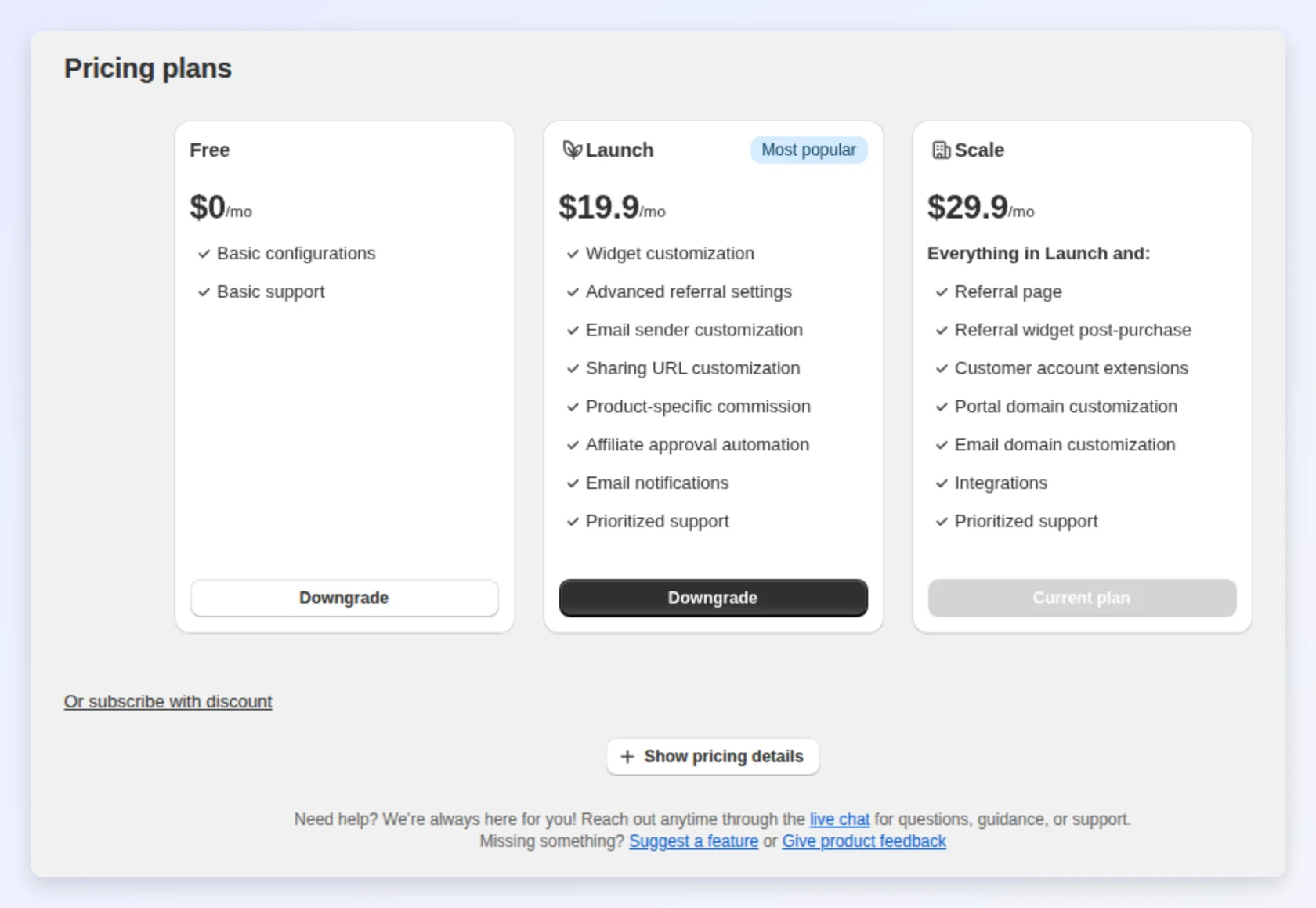
How much does Bloop cost?
Section titled “How much does Bloop cost?”Bloop has two plans:
- Free — $0/month. Includes 10 referee orders and 10 affiliate orders, discount and store-credit rewards, referral link and code, landing pages, popups and widgets, the affiliate portal and commissions, and automated email flows.
- Premium - $59.90/month. Everything in Free, plus unlimited referee and affiliate orders, a custom sender email and domain, custom sharing and portal domains, Klaviyo and Mailchimp integrations, watermark removal, and prioritized support.
Premium starts with a 7-day free trial, and you can cancel anytime with no data loss. See the full pricing page for the complete feature comparison.
What happens when I hit the Free plan’s order limit?
Section titled “What happens when I hit the Free plan’s order limit?”The Free plan covers 10 referee orders and 10 affiliate orders. Upgrade to Premium for unlimited orders. Your existing data stays intact when you upgrade or downgrade.
Can I switch plans anytime?
Section titled “Can I switch plans anytime?”Yes. Upgrade or downgrade at any time without losing data. There are no hidden fees beyond the monthly subscription.
Program emails
Section titled “Program emails”Why do my program emails show a different From address?
Section titled “Why do my program emails show a different From address?”Until you verify your own sender domain, referral and affiliate emails are sent from Bloop’s own sending address, shown with your sender name, and your store’s sender address is set as the Reply-To. This keeps the emails out of spam, and customer replies still reach you. To send from your own address, verify your domain under Settings → General. See where your emails come from.
Why is there an “Unsubscribe” link at the bottom of some emails?
Section titled “Why is there an “Unsubscribe” link at the bottom of some emails?”Marketing emails from the referral program, such as invitations, reminders and the welcome email, include an unsubscribe link, as Gmail and Yahoo require from bulk senders. A customer who unsubscribes still receives transactional emails such as their discount code. See a customer stopped receiving emails.
Branding and the watermark
Section titled “Branding and the watermark”How do I remove the “BLOOP” watermark?
Section titled “How do I remove the “BLOOP” watermark?”The “Powered by BLOOP Referrals & Affiliates” watermark is removed by upgrading to the Premium plan.
Bloop also offers to remove the “BLOOP Referral by BSS” watermark for free on request - open an email template under Email notifications and select Request to remove in the banner at the top, then contact the team via chat. If you’re already on Premium, the watermark is removed automatically and no request is needed.
Referral links vs referral codes
Section titled “Referral links vs referral codes”How do referral links and referral codes work?
Section titled “How do referral links and referral codes work?”Bloop gives referrers two ways to share. Enable either or both in your campaign’s referral method settings:
- Referral link — each referrer gets a unique link. The friend visits it, enters their email, and receives a discount code to use at checkout. Because it captures the friend’s email, Bloop can send the discount and follow-up emails. Best for email, chat, and social sharing.
- Referral code — each referrer gets a unique code (prefixed with
BLOOPby default, likeBLOOP-A1B2C3-1042). The friend types the code at checkout. No email step, which suits word-of-mouth and offline sharing.
At least one method must stay on; turning both off disables the referral program. For a deeper comparison, see choose a referral sharing method and the blog guide on referral codes vs referral links.
Can I run links and codes at the same time?
Section titled “Can I run links and codes at the same time?”Yes. Enable both so each referrer shares through whichever channel fits, with the same reward logic behind both. Bloop tracks each share so you can compare channel performance in referral analytics.
Access and installation
Section titled “Access and installation”Does Bloop need collaborator access to my store?
Section titled “Does Bloop need collaborator access to my store?”No. Bloop is installed from the Shopify App Store and runs with the permissions you grant during installation. If an outside party — an agency or a Bloop specialist — needs to help set it up, they request collaborator access through the Shopify Partner Dashboard, and you approve it from your Shopify admin under Settings → Users and permissions. You can revoke that access at any time.
Do I need to be a Shopify Partner to use Bloop?
Section titled “Do I need to be a Shopify Partner to use Bloop?”No. Bloop is a merchant app you install like any other Shopify app. Partner accounts and collaborator requests only come into play when you invite an outside party to help manage your store.