

How to choose a referral sharing method
Referrers can share a link, a code, or both. Both methods credit the referral to the same referrer.
Referral link vs referral code
Section titled “Referral link vs referral code”| Referral link | Referral code | |
|---|---|---|
| How it works | The friend opens the link and enters their email to get a discount code | The friend types the code at checkout |
| Captures the friend’s email | Yes, so you can follow up | No |
| Easy to say out loud | No, it is a long URL | Yes, short and memorable |
| Best for | Email, messages, social, chat | In-store, phone, podcasts |
Turn a method on or off
Section titled “Turn a method on or off”-
Open your campaign, then click Sharing → Link and code.
-
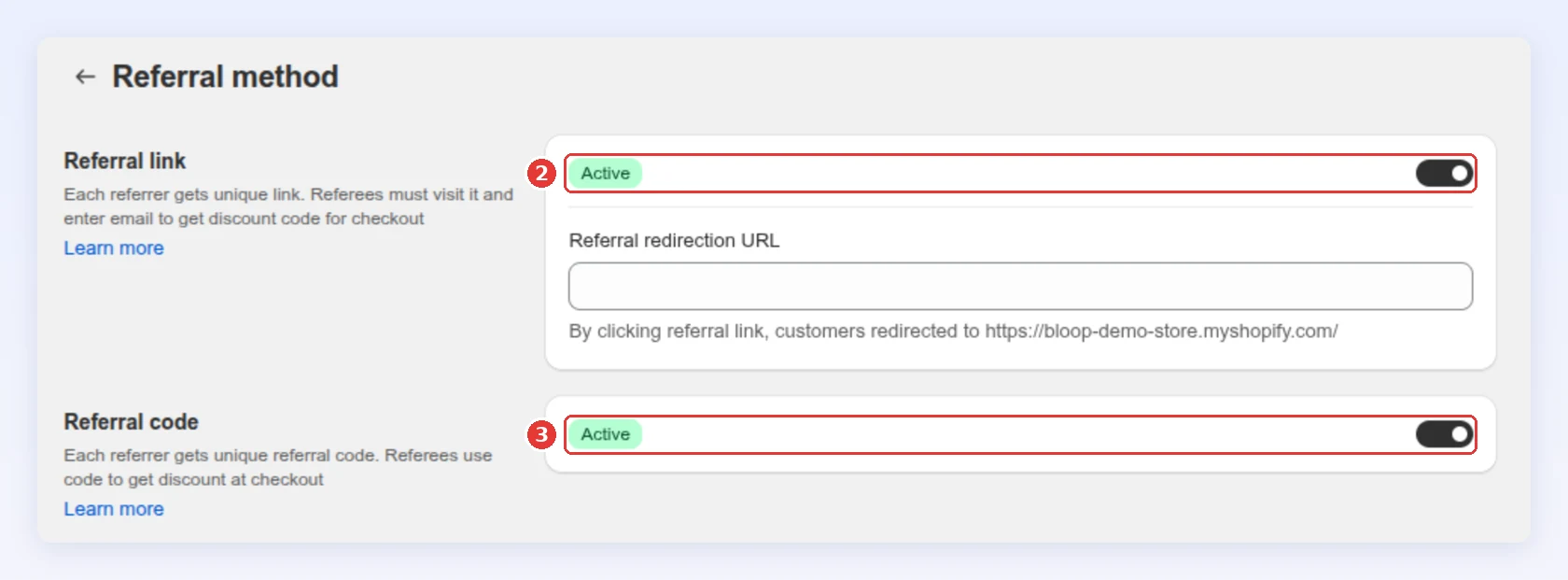
Turn Referral link on or off.
-
Turn Referral code on or off:
-
Click Save in the bar at the top of the page.
Choose where a friend lands
Section titled “Choose where a friend lands”Optional. With Referral link on, Referral redirection URL sets the page where a friend lands after clicking the link.
-
In Referral redirection URL, enter a path that starts with a single slash, such as
/pages/refer. Spaces are not allowed: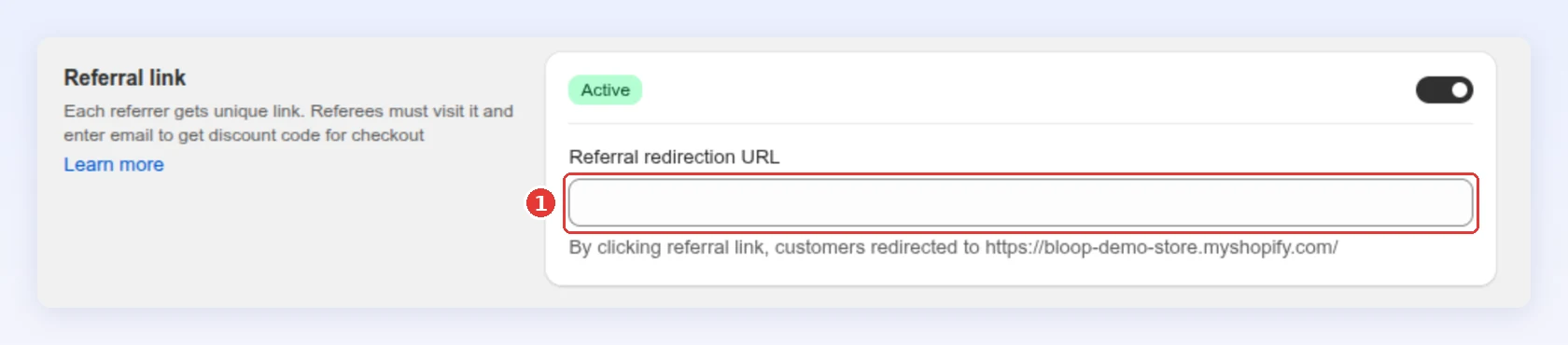
-
Check the full address Bloop shows under the field, then click Save.
Leave it empty and friends land on your homepage.
Set a code prefix
Section titled “Set a code prefix”The referral code a friend types is your Discount code prefix plus the referrer’s 8-character share code, for example BLOOP_a8Kd2PzQ. Choose Referrer’s first name and Luna’s code reads LUNA_a8Kd2PzQ, which tells the friend who the referral is from. The referral link has no prefix. To change the prefix, see discount code prefix.
How sharing is tracked
Section titled “How sharing is tracked”Every referrer gets a unique share code automatically, and Bloop credits the referral whether the friend arrives by link or by code. Referral analytics shows shares by channel, such as WhatsApp, email or copy link.
Common mistakes to avoid
Section titled “Common mistakes to avoid”- Keeping only one method “to keep it simple.” You lose the shares that would only have happened the other way.
Next steps
Section titled “Next steps”- Set what each side earns in Referrer and referee rewards.
- Decide who can refer in Target audience.