

How to track referral discount codes
Track Coupons lists every discount code Bloop issued as a referrer reward, from the day it was created to the order it was used on. Use it to check a referrer got their reward, and whether referrers actually redeem them.
Only referrer discount codes appear here. Friend codes, free products, store credit, cash and custom rewards don’t, so a missing row doesn’t mean a reward wasn’t issued. To check other reward types, open the referrer in Contacts and look at Referrer rewards.
How to find a referrer’s code
Section titled “How to find a referrer’s code”-
Find the code → Check its status
-
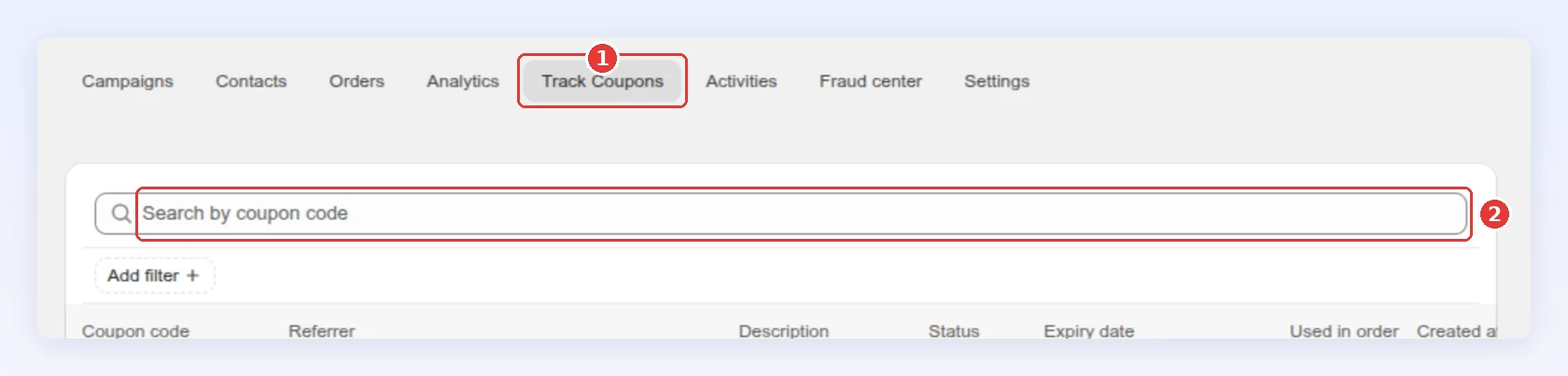
In Referral program, click the Track Coupons tab.
-
Type in Search by coupon code to find a code a referrer is asking about:
-
Or click Add filter → Status and pick Available, Used or Expired.
-
Check the code’s Status and Expiry date. Used in order links to the Shopify order the code was used on:
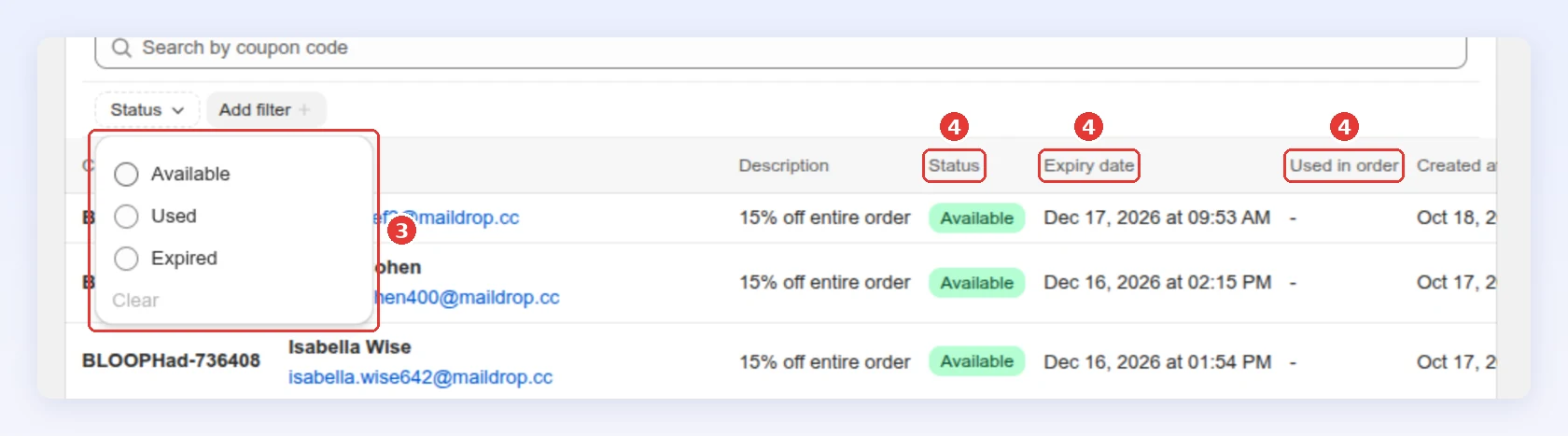
Click the referrer’s email to open their contact page. Click Created at to sort oldest or newest first.
-
Understanding code status
Section titled “Understanding code status”| Status | What it means |
|---|---|
| Available | Issued, not used yet, and still valid |
| Used | Redeemed on an order |
| Expired | Past its expiry date, or deactivated, for example when you ban the referrer |
| Deleted | Bloop removed it because the referral order was cancelled or refunded. See reward revocation |
Best practices
Section titled “Best practices”- Check here first when a referrer says they got nothing. Search their code: Available means it’s waiting to be used.
- Watch the share of Available and Expired codes. Many unused rewards mean referrers earn them but don’t come back to spend them. Try a bigger or different reward.
- Before reissuing a Deleted code, check the order in Referral orders. It was usually cancelled or refunded.
Related
Section titled “Related”- Referral orders - the orders behind each reward
- Referrer and referee rewards - set up the discount-code reward
- Referral activity - every program event in one stream