

How to set up referrer and friend rewards
The right reward gives your customer a reason to share and their friend a reason to buy. Set what the referrer (your customer who shares) and the referee (their friend who buys) each get.
Rewards at a glance
Section titled “Rewards at a glance”| Reward type | Who gets it | Best for |
|---|---|---|
| Discount coupon | Referrer, friend | Most stores. Issued automatically as a Shopify code |
| Store credits | Referrer | Customers who come back to buy again. Issued automatically |
| Free product | Referrer, friend | A sample, a refill or an add-on. Issued automatically |
| Cash | Referrer | One-off purchases. You pay it yourself |
| Custom | Referrer | A gift or service outside Shopify. You approve and deliver it |
| No reward | Referrer | Rewarding only the friend |
Choose a referrer reward type
Section titled “Choose a referrer reward type”The referrer reward is what your customer earns after their friend buys.
-
Open the referrer reward
-
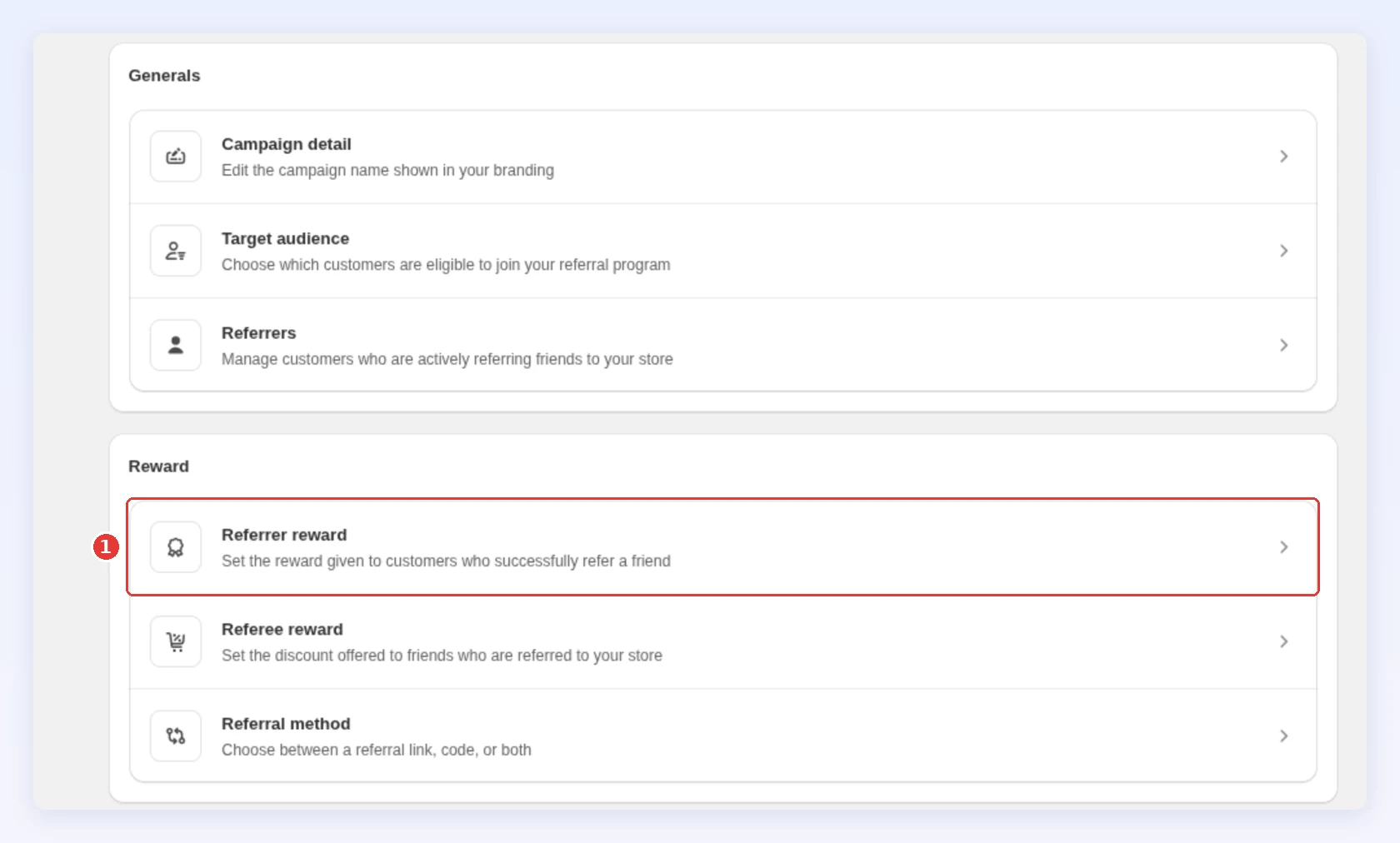
Open your campaign, then click Rewards → Referrer reward:
-
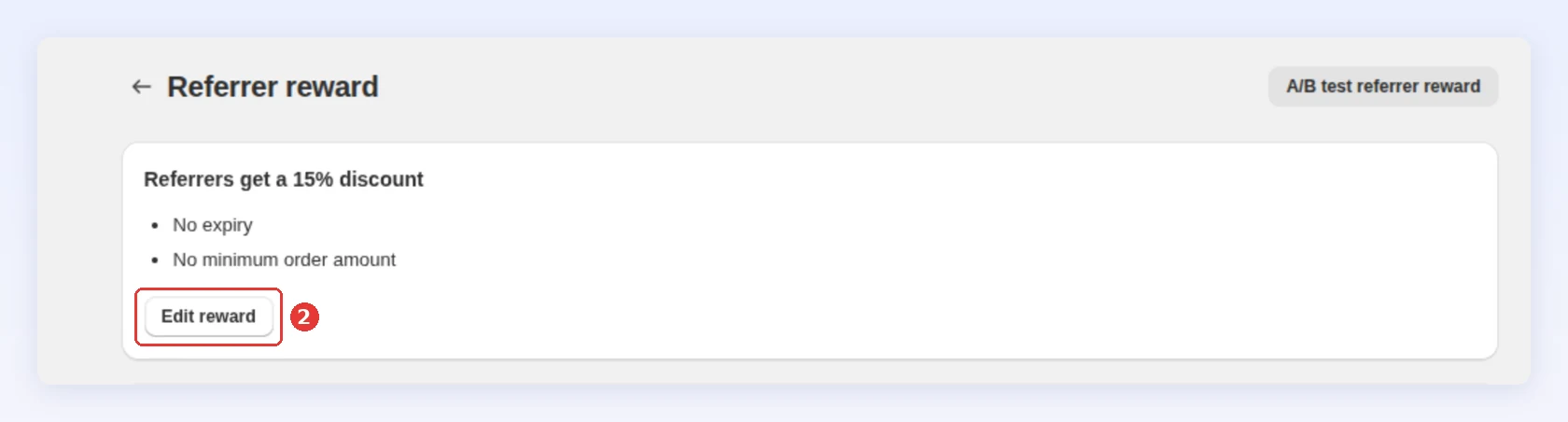
Click Edit reward:
-
-
Choose the type and what it needs
-
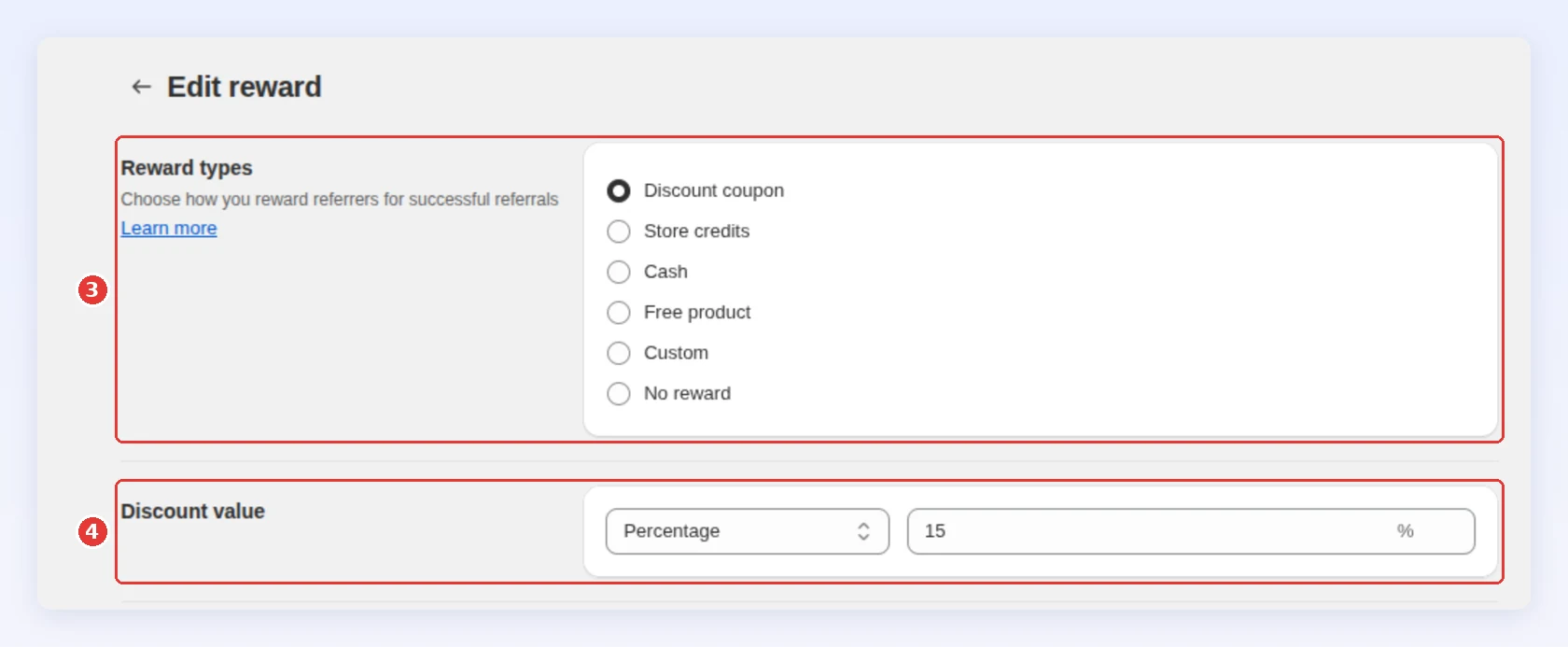
In Reward types, choose a type from the table above:
-
Set what the type needs:
- Discount coupon: see Set the discount value.
- Store credits: enter an amount.
- Free product: pick up to 5 products and a quantity for each. Bloop adds them to the cart when the code is applied, and the code works only with the customer’s email.
- Custom: write a short description, up to 500 characters. It stays Pending until you approve it in Orders.
- Cash: do the setup below first.
-
Click Save in the bar at the top of the page.
-
Cash is tracked in Bloop and paid by you. Shopify never issues it. Do both steps before you turn it on:
-
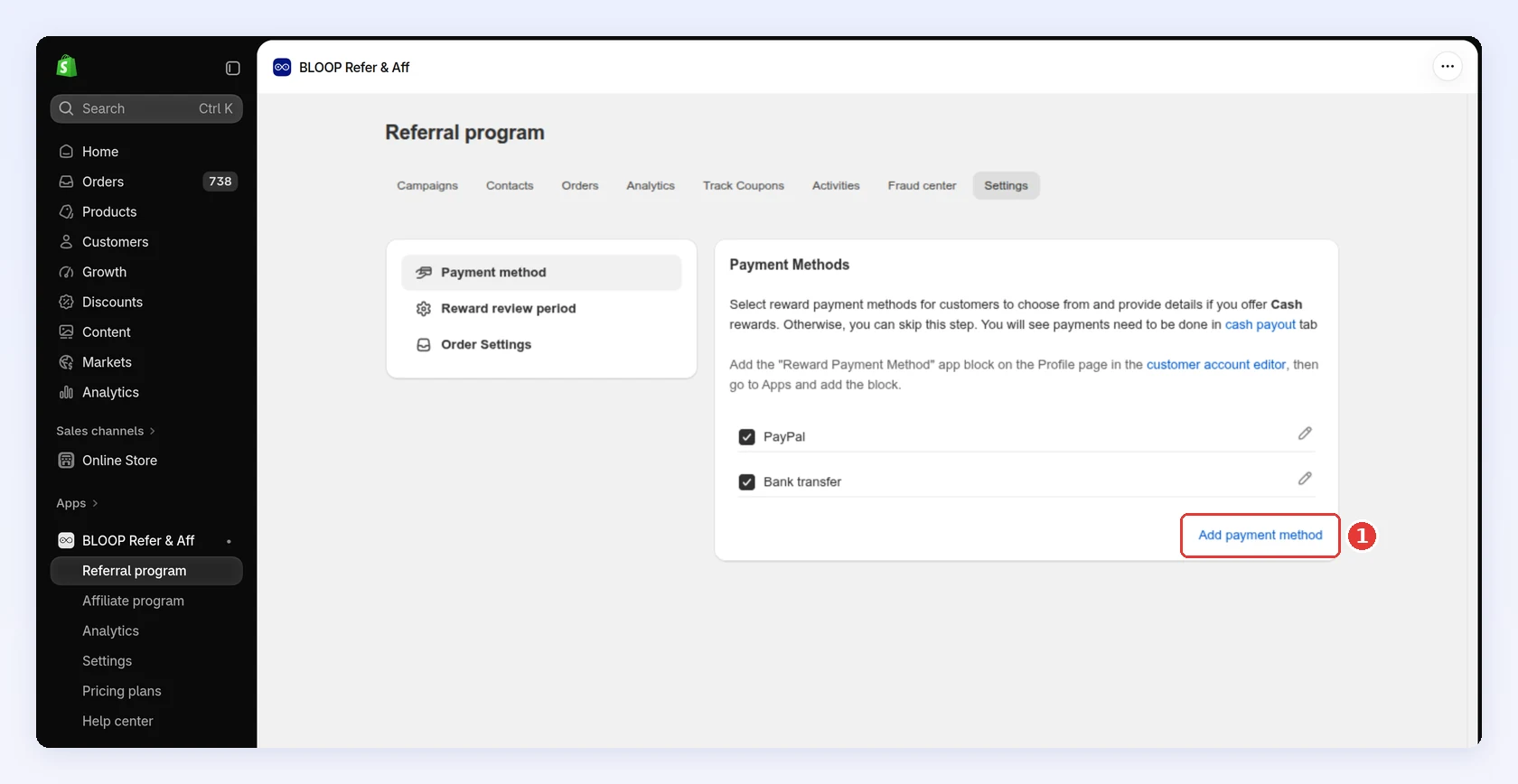
In Settings → Referral → Payment method, tick the methods you will pay with. To add your own, click Add payment method:
-
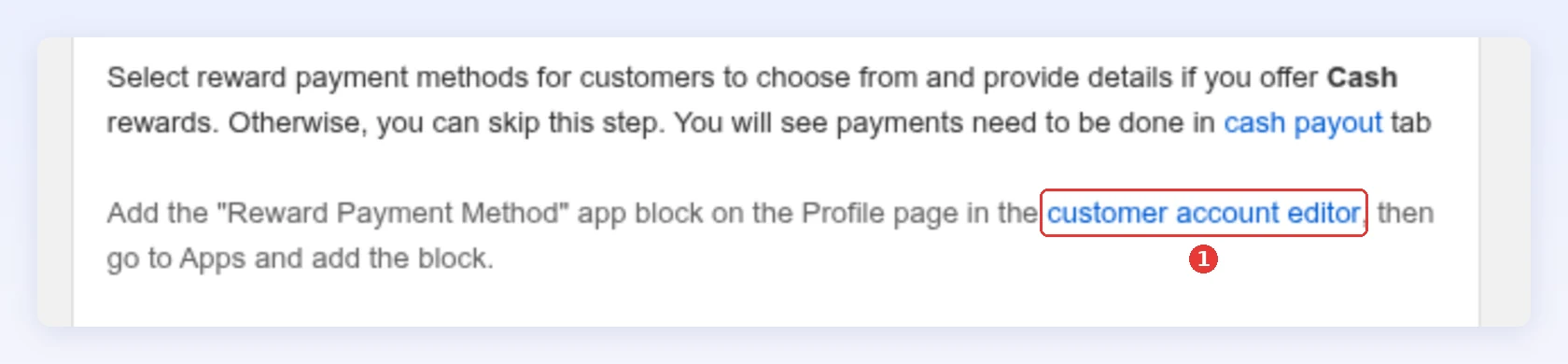
Add the Reward Payment Method block to your customer account Profile page, so referrers can tell you where to send the money:
-
On the Payment method page, click customer account editor. It opens on the Profile page:
-
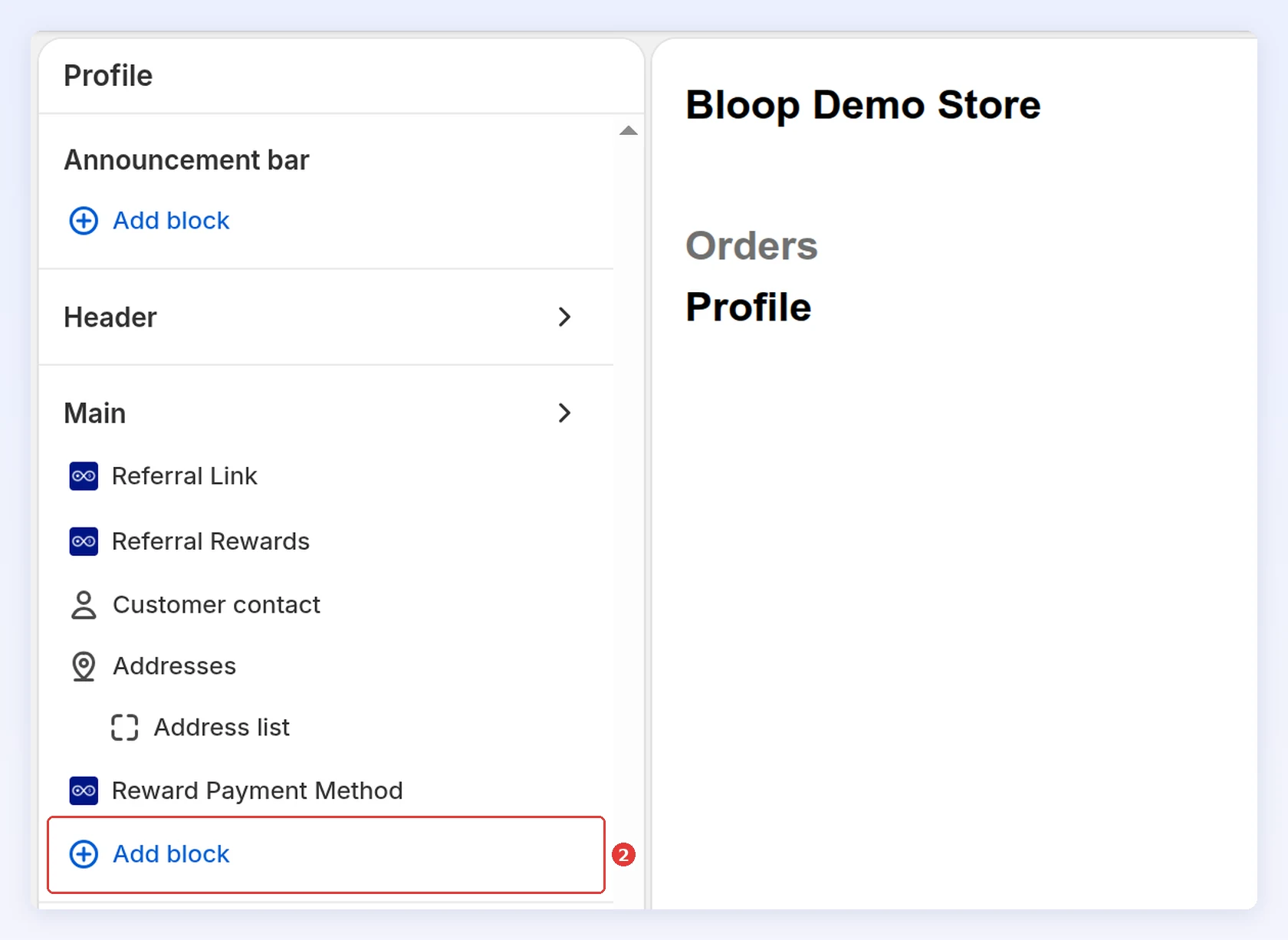
Under Main, click Add block, then under Apps choose Reward Payment Method:
-
Click Save.
-
Next: give the friend something too.
Choose a referee reward type
Section titled “Choose a referee reward type”The friend reward persuades a new customer to place a first order. Only first-time customers can claim it, see who can be referred.
-
Open the referee reward
-
In the campaign menu, click Rewards → Referee reward.
-
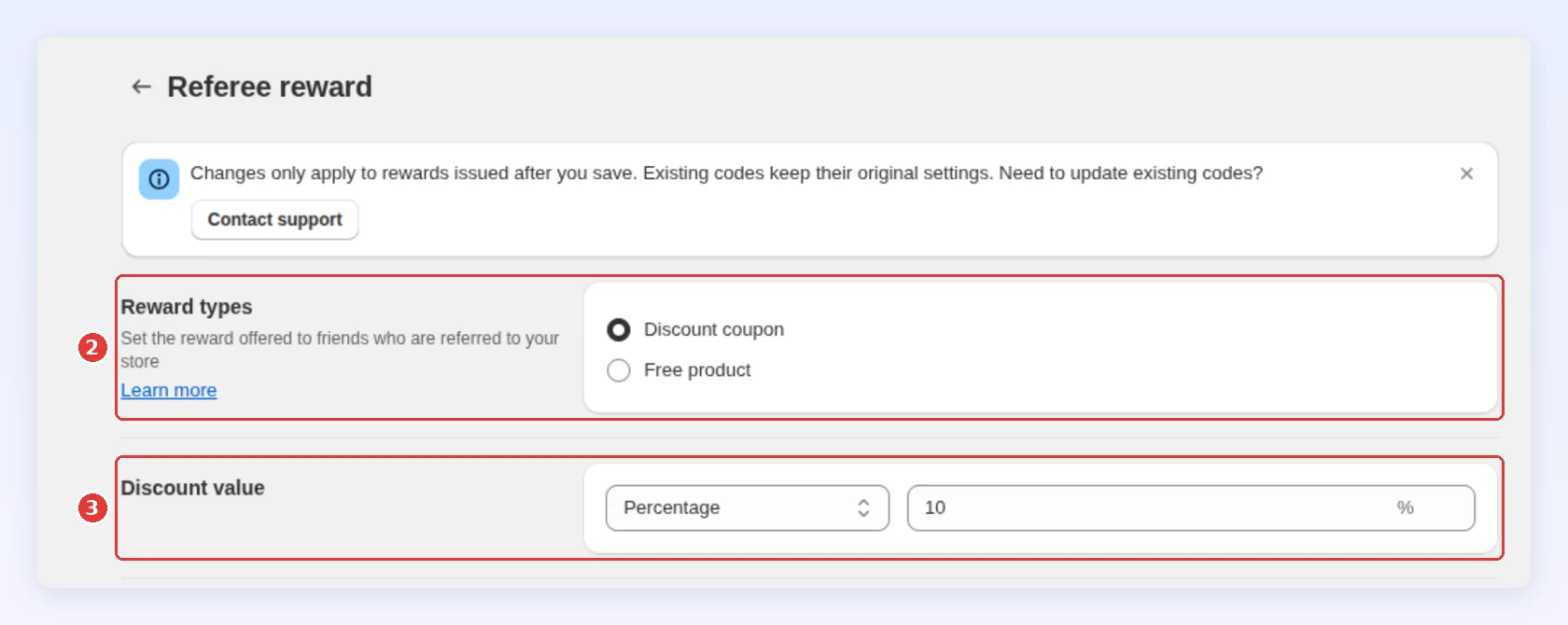
In Reward types, choose Discount coupon or Free product.
-
Set the value, then click Save:
-
Set the discount value
Section titled “Set the discount value”For a Discount coupon, choose how the discount is counted in Discount value:
- Percentage grows with the order size. Best when your prices vary a lot.
- Fixed amount is the same on every order. Best when your prices are similar.
New campaigns start with 15% for the referrer and 10% for the friend. Keep both rewards together below your profit on one referred order. To find the best value, run an A/B test.
Purchase type and subscriptions
Section titled “Purchase type and subscriptions”Optional. The next three settings sit together on the Edit reward page, below Discount value: Purchase type (1), Apply to products (2) and Minimum requirements (3):
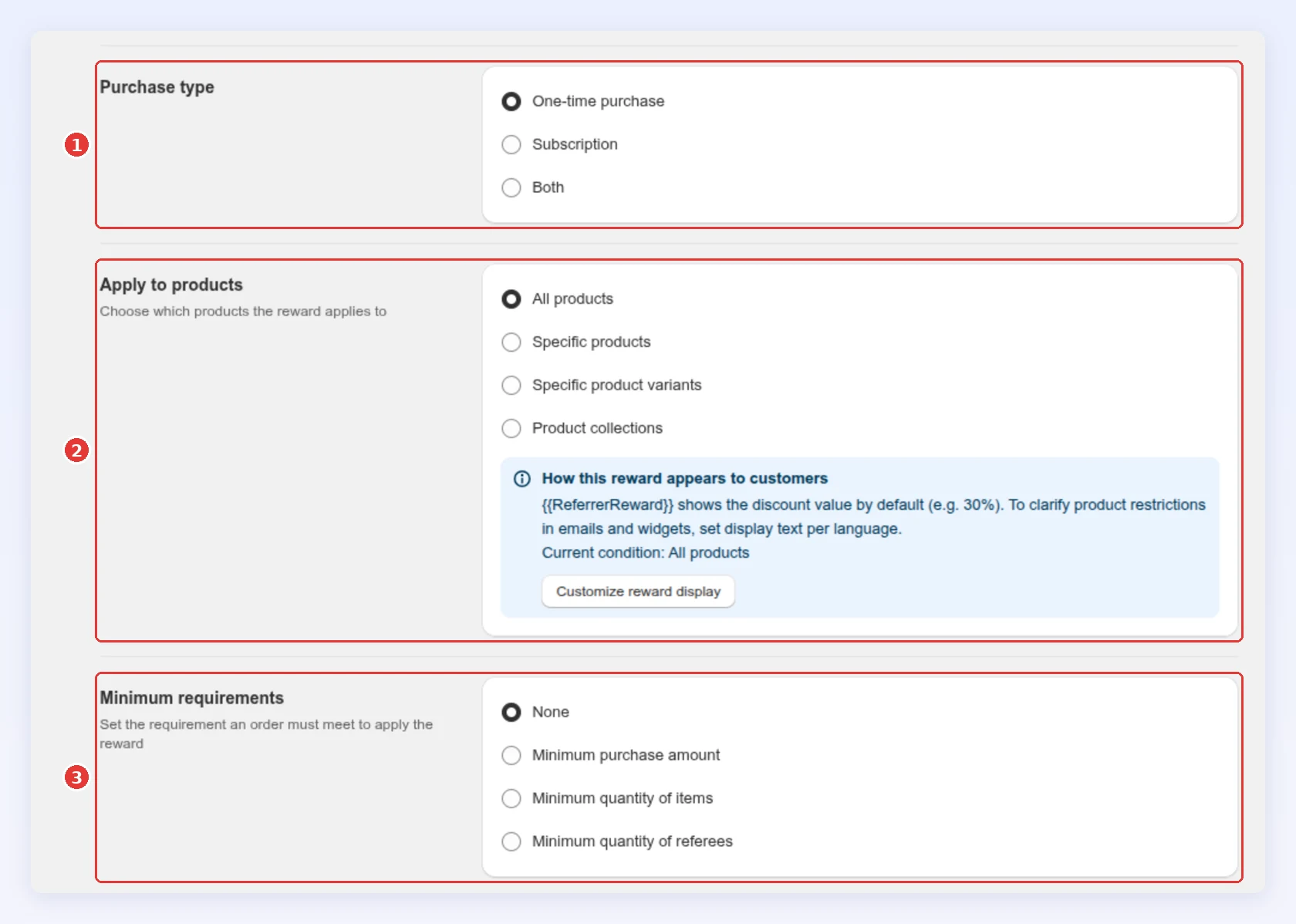
In Purchase type, match how you sell. A One-time purchase discount doesn’t apply to a subscription order, and a Subscription discount doesn’t apply to a one-time order. Pick Both only if your store sells both ways: otherwise Bloop can’t apply the discount.
For subscriptions, Recurring payments limit (0-99) is how many renewals get the discount.
Apply to products
Section titled “Apply to products”Optional. A discount can apply to all products, or only to chosen products, collections or variants. Use it to protect margin on items you can’t discount.
Minimum requirements
Section titled “Minimum requirements”Optional. Add one rule to a reward. The default is None.
- Minimum purchase amount and minimum quantity of items: the customer keeps the code, and it works only on an order that meets the rule. They don’t apply to store credit or cash.
- Minimum quantity of referees: decides when the referrer is rewarded. With 5, they earn on their 5th successful referral, then on the 10th, and so on.
Bonus reward
Section titled “Bonus reward”On top of the main referrer reward, you can add a Bonus reward with its own type, value and minimum, such as $5 store credit on every 3rd referral. See How to give referrers a bonus reward.
Discount code prefix
Section titled “Discount code prefix”Optional. Every code starts with a prefix. The Discount code prefix on the referrer reward page applies to every tier and to the referral code your referrers share. The referee reward has its own Discount code prefix for the friend’s codes:
| Prefix | Code looks like | Use it when |
|---|---|---|
| Custom text | BLOOP_ and a unique code |
You want all codes to read as one campaign |
| Referrer’s first name | SARAH_ and a unique code |
You want the code to feel personal |
If a referrer has no first name, Bloop uses your custom text. Changing the prefix changes the codes of the whole campaign.
Change a reward after codes are issued
Section titled “Change a reward after codes are issued”- Changes apply only to rewards issued after you save. Codes already in customers’ hands keep their old settings. To update those codes too, contact support from the app.
- While an A/B test runs on a campaign, its rewards are read-only. End the test to edit them.
Next steps
Section titled “Next steps”- Reward referrers who keep sharing with a bonus reward.
- Pay more as a referrer brings in more friends with FlexiTiers.
- Set expiry, the review period and when a reward is revoked in Reward timing.
- Spell out how the reward reads to customers in Reward display.
- Choose how referrers share in Referral methods.
- Find the best value with A/B testing.
- Match rewards to your economics in Choosing rewards.