

Understanding the Referral Hub
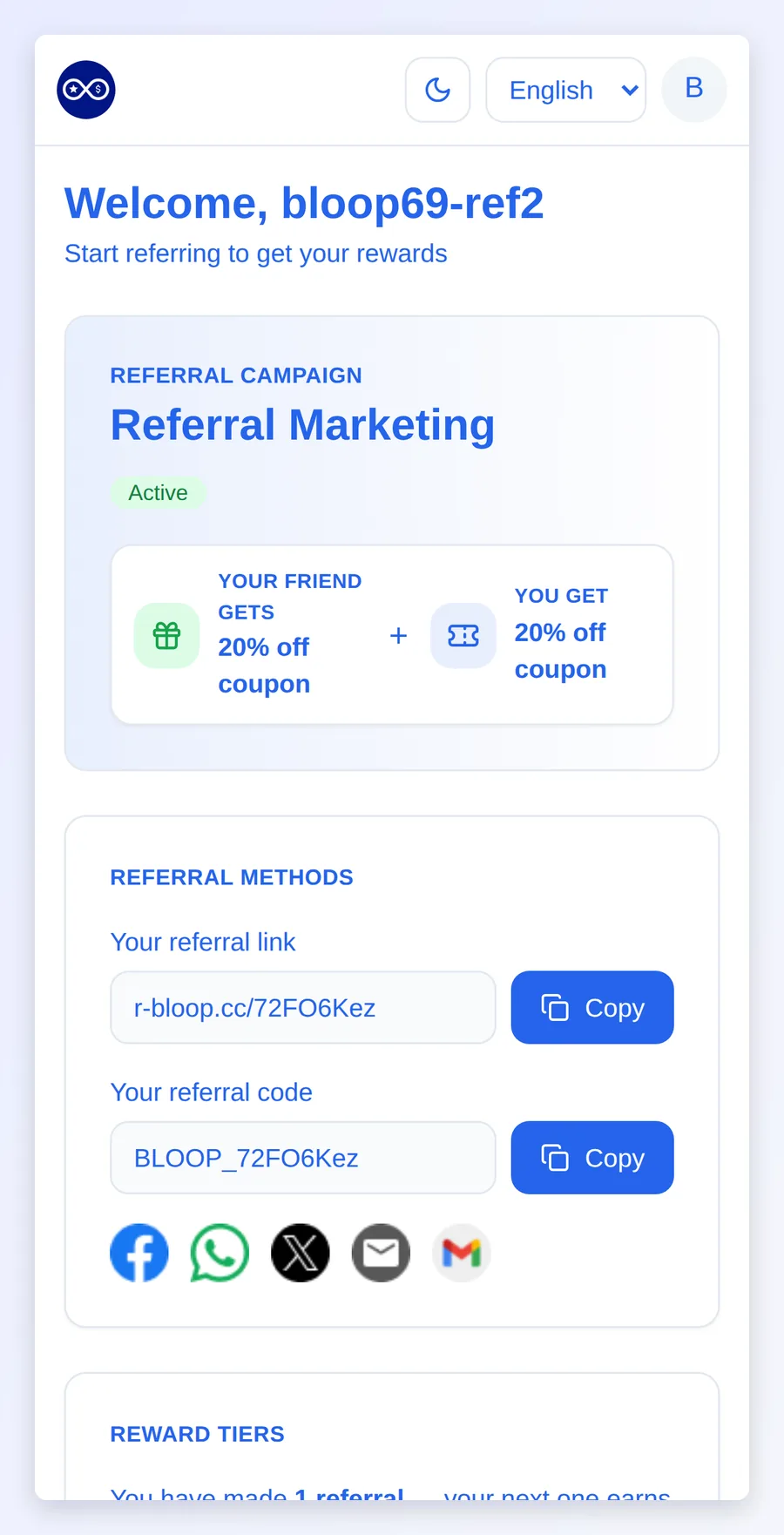
The Referral Hub is a page hosted by Bloop where each referrer sees their referral link and code, the rewards they’ve earned, their tier progress and recent activity. It builds itself from your campaign, so it works from day one. Branding it to match your store takes a few minutes.
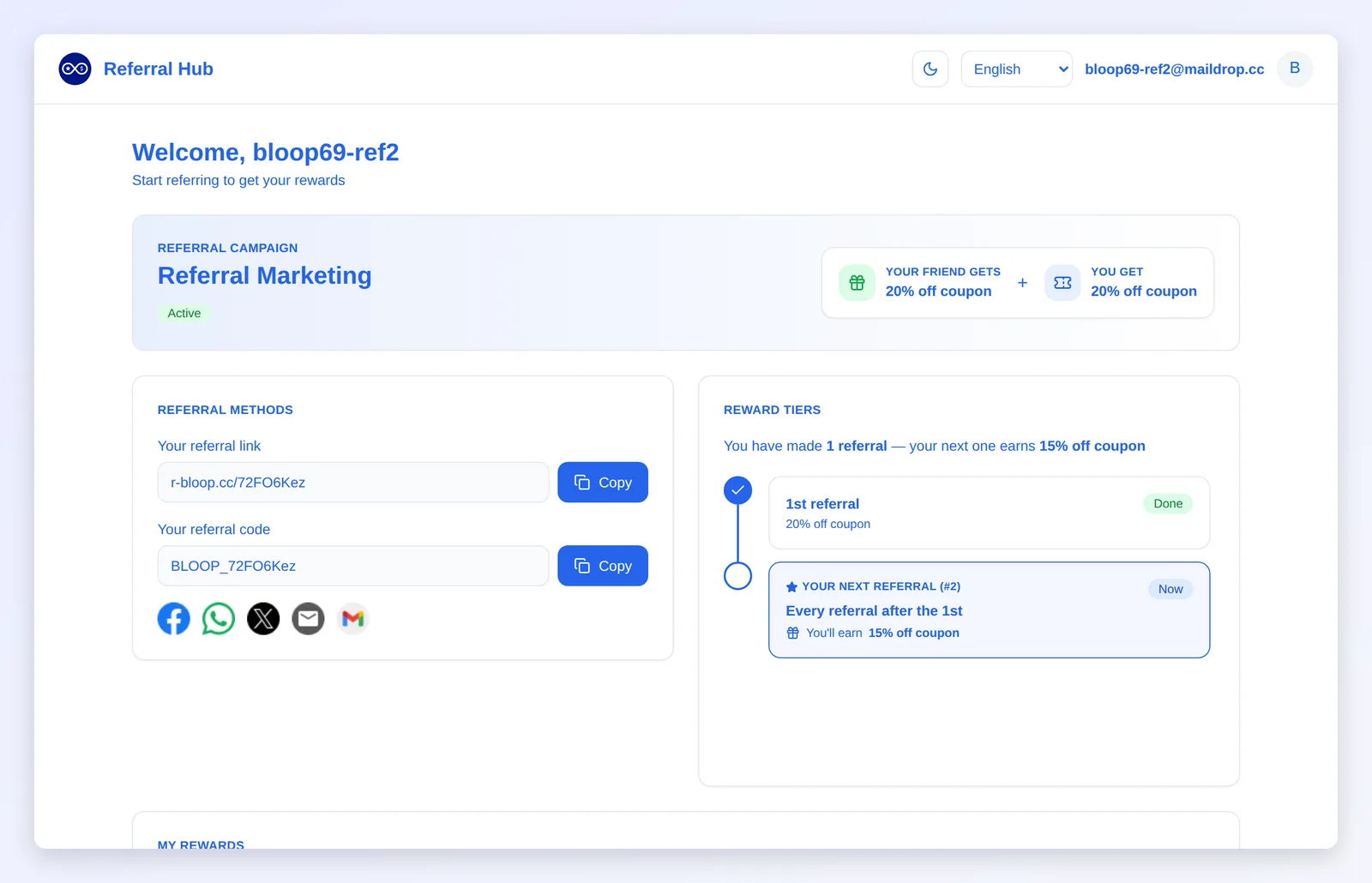
What referrers see
Section titled “What referrers see”| Section | What it shows |
|---|---|
| Header | Your logo and page title, campaign selector (when they’re in more than one), language picker (when automatic translation is on), light/dark toggle, account menu |
| Campaign banner | Your banner image. Without one, a card with the campaign name, its status and what each side gets, including any bonus reward |
| Referral methods | Their referral link and code, with copy buttons and the share channels you’ve enabled |
| My rewards | Every reward earned, filtered by All, Available and Used (plus Revoked once a reward is revoked). Shop now opens your store with the code already applied. Bonus rewards carry a Bonus badge |
| Reward tiers | A progress timeline and what the next referral earns. Tiered campaigns only |
| Recent activity | Each referral and its status: Pending, Reward sent, Reward declined or Reward revoked |
- Revoked rewards carry a warning icon. Hovering it shows your revoke warning text, set on the Content tab. See reward revocation.
- Cash rewards: referrers who haven’t added payment details see a prompt to add them in their customer account. See cash rewards.
- Inactive campaigns still show, marked Inactive, but without referral methods or tiers.
- If Bloop is briefly unreachable, the hub shows the referrer’s last loaded copy with a notice that it may be out of date, instead of an error page.
How referrers open the hub
Section titled “How referrers open the hub”There is no password. Referrers open the hub from a personal link, which signs them in on that device until they log out from the account menu.
| Where the link is | What to use |
|---|---|
| Bloop’s referrer emails | Built into the template |
| Klaviyo | The BLOOP Hub Portal profile property. See Klaviyo |
| Mailchimp | The BLOOPHUB merge tag. See Mailchimp |
| Referral popup on your store | The Track your referrals link |
| Customer account | The Access my Referral Hub link in the Referral link block. See customer accounts |
Links in emails and integrations never expire, so a flow that sends days later still works.
The popup and customer account links open the hub in a new tab. If the referrer isn’t signed in on that device:
- Bloop sends them the Referral Hub access email with a sign-in link instead.
- You can edit that email with the other referrer emails.
- If you turn it off or leave it empty, Bloop sends a built-in version, so referrers can still get in.
- Each referrer gets at most 3 of these emails in 10 minutes and 10 a day.
Logged-in customers can also use the Referral Hub page inside their customer account, with no sign-in email. See the Referral Hub page.
How to brand the hub
Section titled “How to brand the hub”-
Open the hub branding
-
Open your campaign and go to Branding.
-
Click Customize on your applied theme.
-
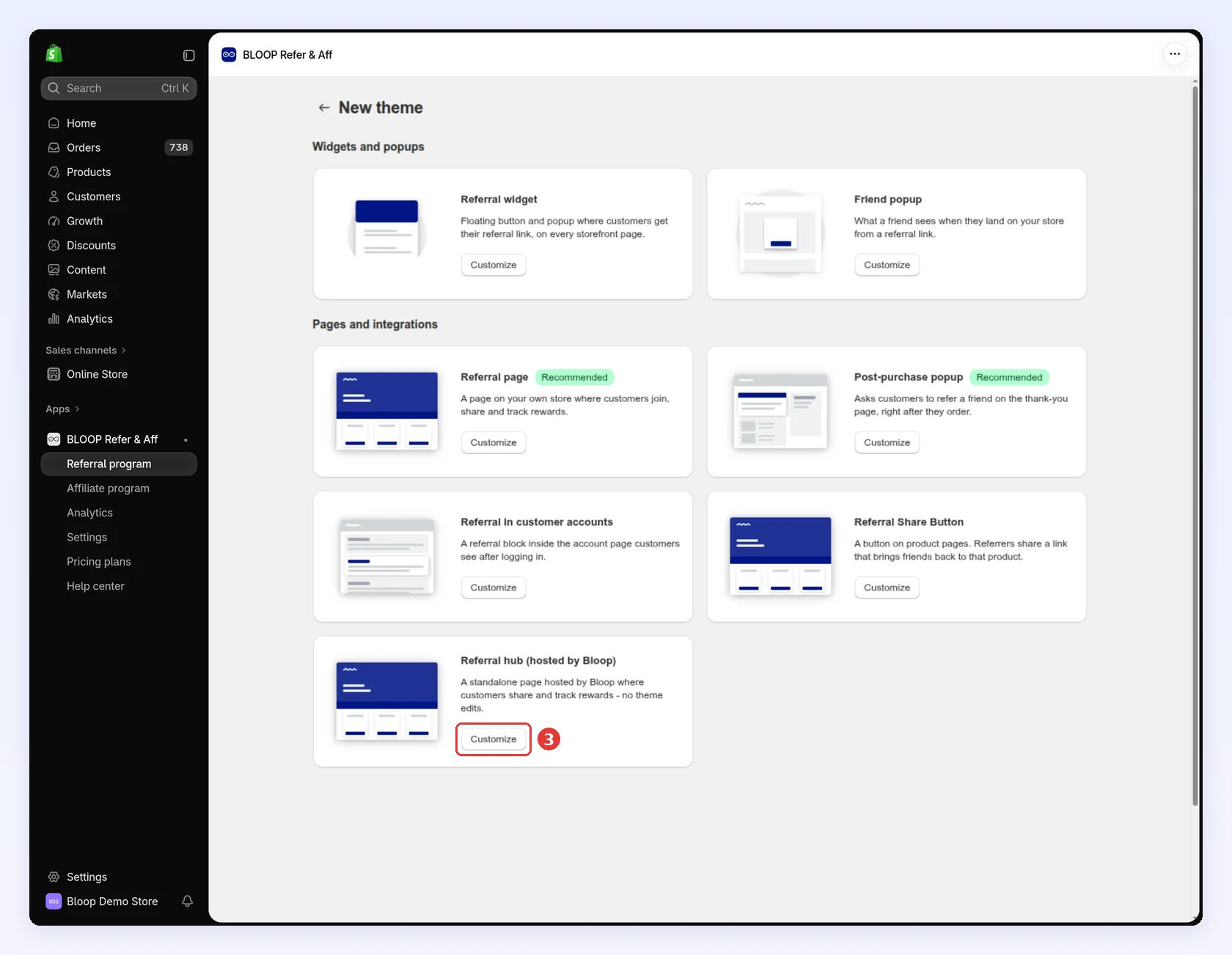
Click Customize on the Referral hub (hosted by Bloop) card. The editor opens in a full-screen window:
-
-
Set the look → Click Save
-
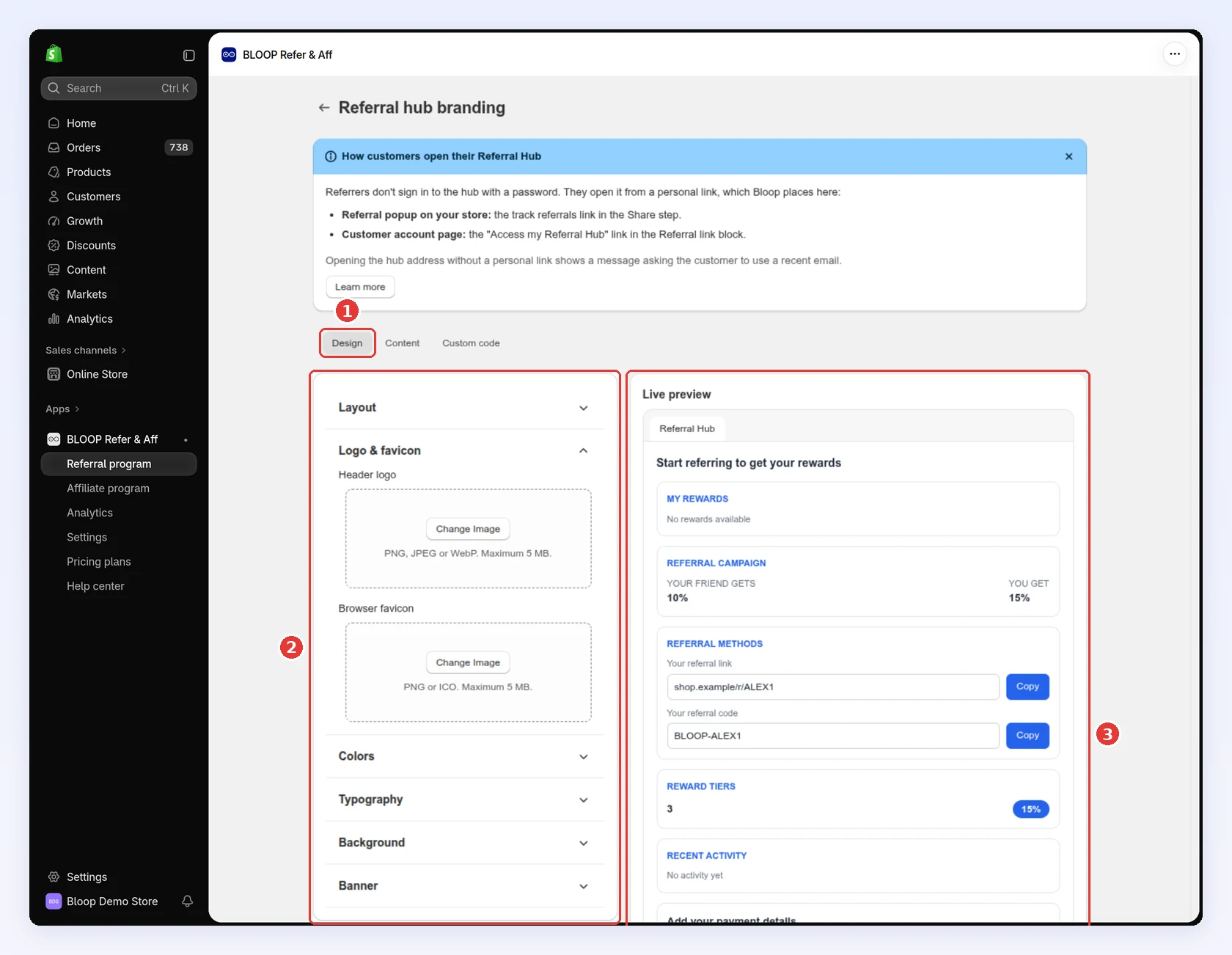
Stay on the Design tab.
-
Open each section and set it:
- Logo & favicon: header logo (PNG, JPEG or WebP) and browser favicon (PNG or ICO), up to 5 MB each. Without a favicon, the browser tab shows your logo.
- Colors: your primary brand color, used on buttons and headings.
- Typography: the font family.
- Background: the page background color.
- Banner: a wide image that replaces the campaign card at the top.
-
Check your changes in Live preview, which uses sample data:
-
Click Save in the bar at the top.
-
-
Edit the wording → Click Save
-
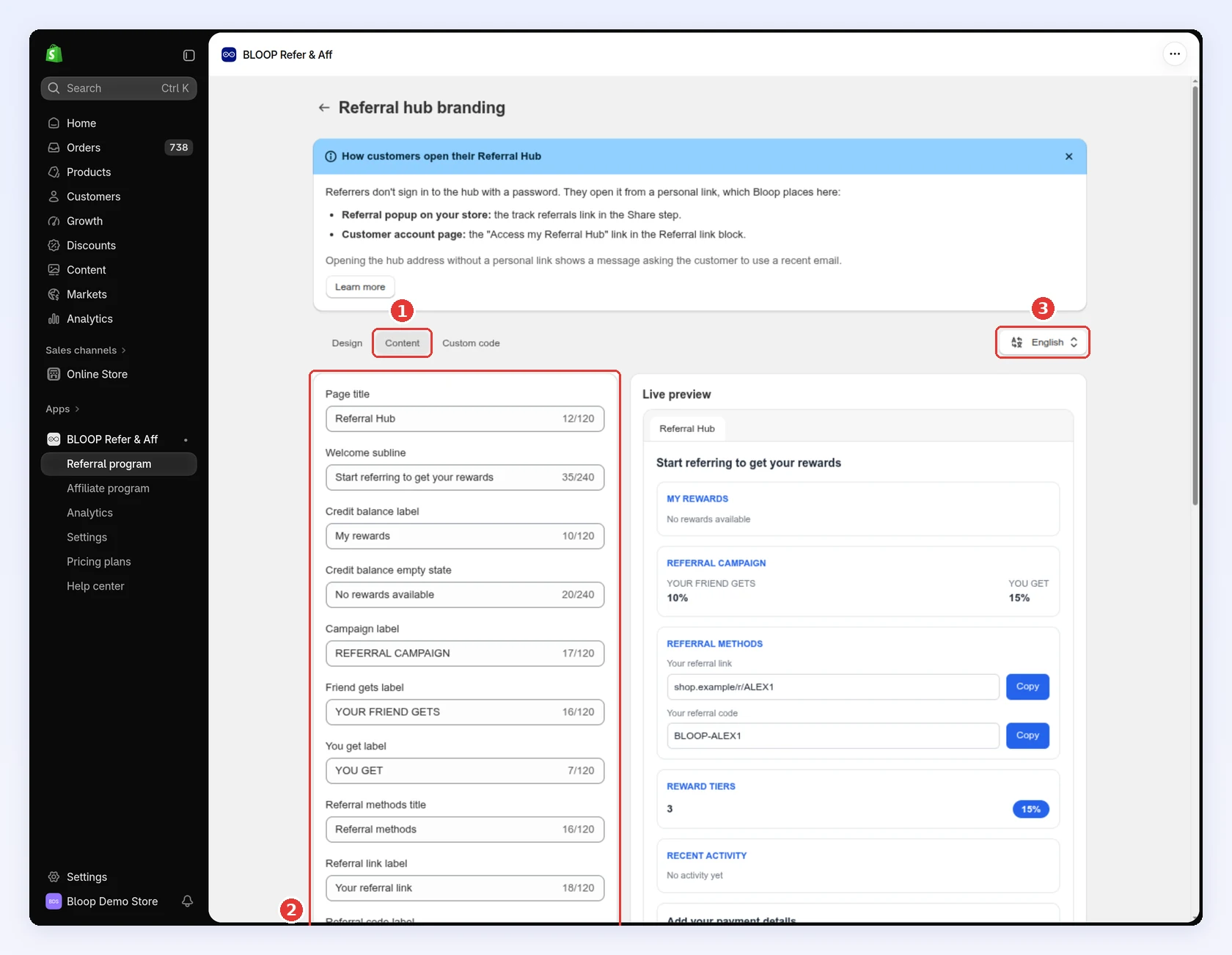
Click the Content tab.
-
Edit the Page title, Welcome subline and the label of each section. The page title also names the browser tab.
-
If automatic translation is on, pick the language to edit at the top right:
-
Click Save.
-
-
Add custom code (optional) → Click Save
- Click the Custom code tab.
- Paste your CSS or JavaScript, up to 50 KB each. Save stays off while either one is over the limit.
- Click Save.
Custom code runs on your live hub. Use it for the last details Bloop doesn’t expose, such as a web font. Bloop support can’t debug custom code, and a broken snippet can change how the hub looks or behaves. If the hub breaks after you add code, clear the Custom code tab and click Save to restore it.
How to see a referrer’s hub
Section titled “How to see a referrer’s hub”Use this when someone reports a missing reward or a wrong tier: you see exactly what they see.
-
Open the referrer
-
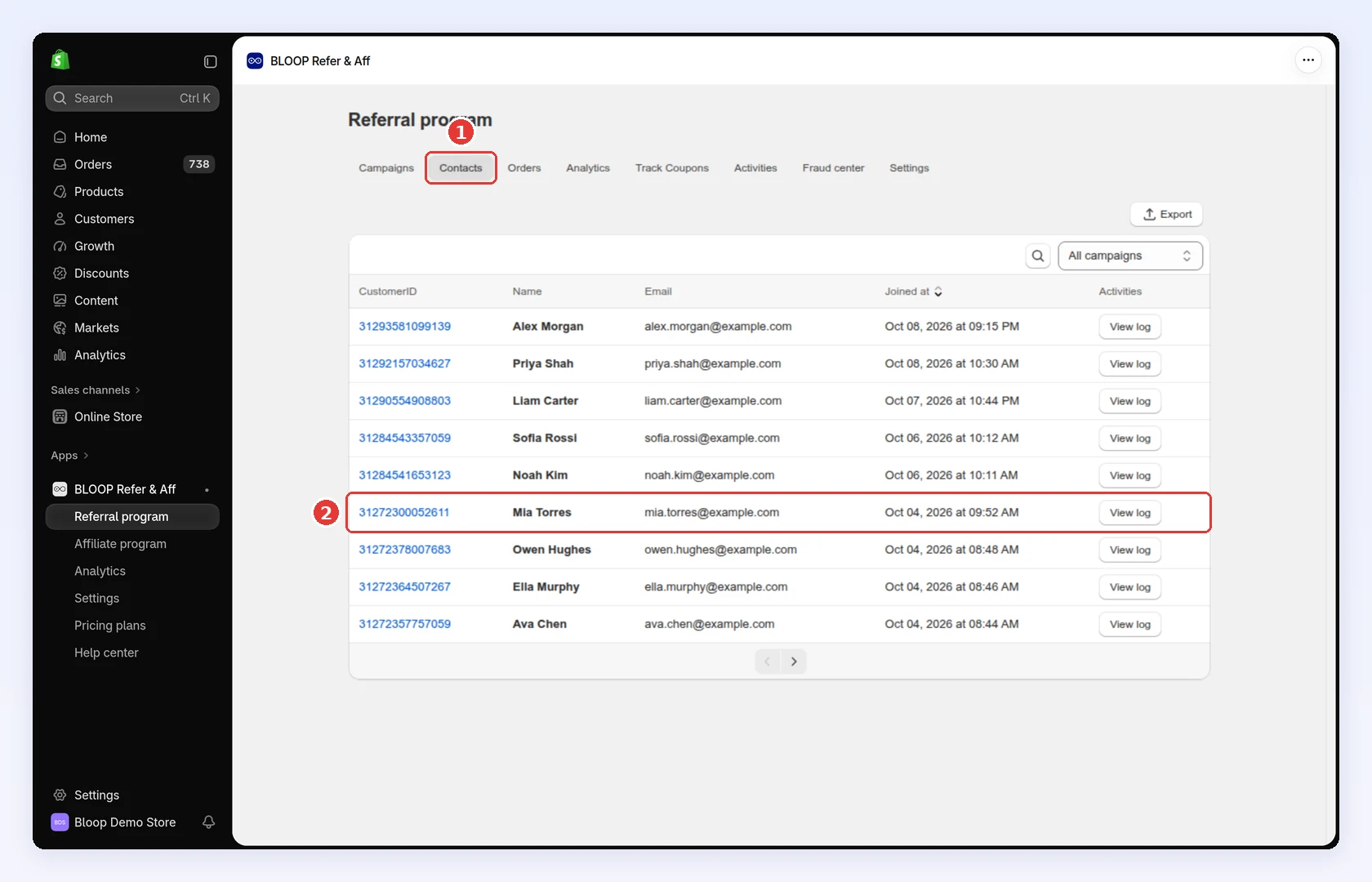
In Referral program, click the Contacts tab.
-
Click the referrer’s name. The Customer ID opens their Shopify customer page instead:
-
-
Open their hub
-
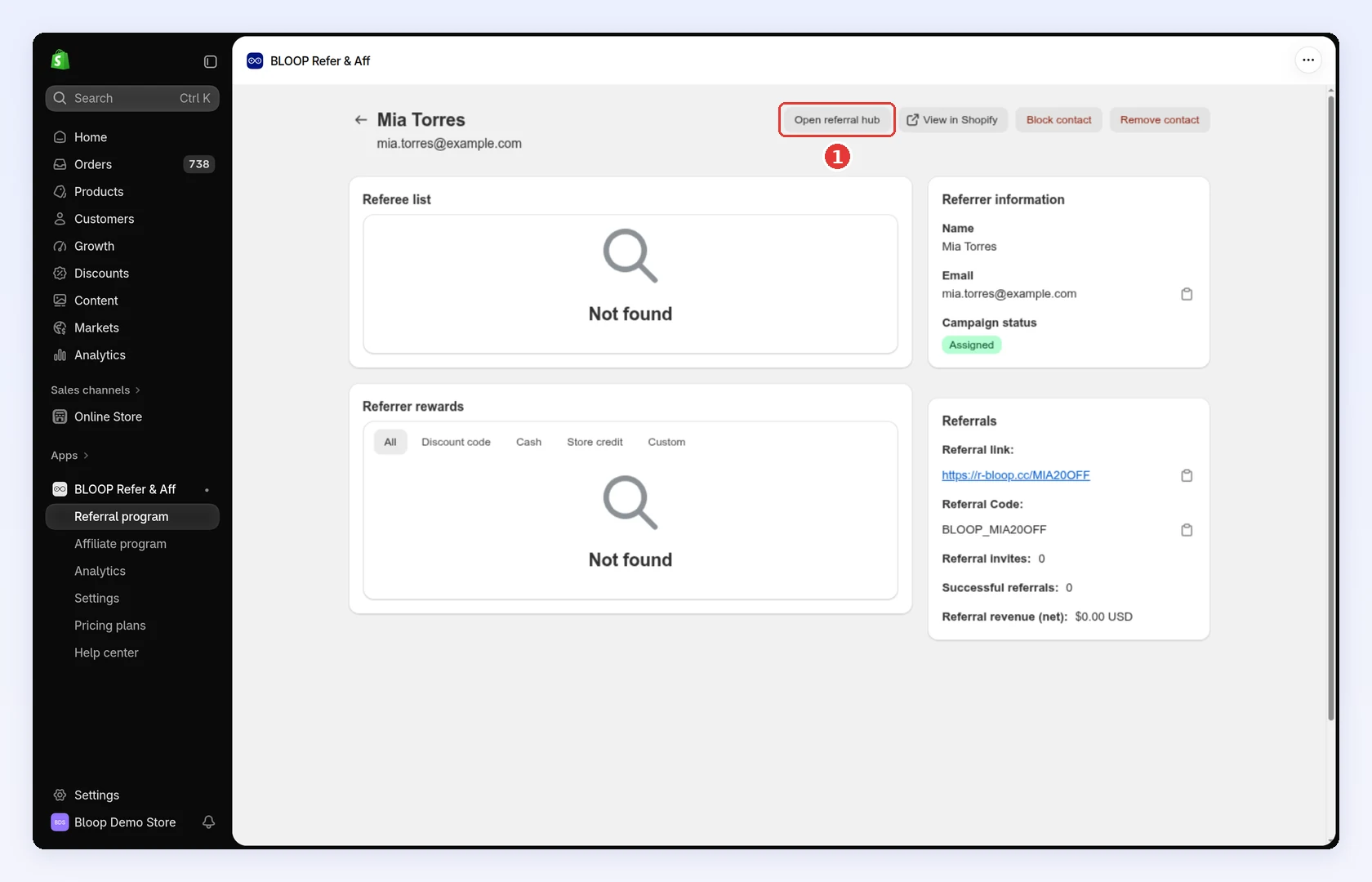
Click Open referral hub. Their hub opens in a new tab. The button only shows for customers who joined as referrers:
-
Languages and appearance
Section titled “Languages and appearance”When automatic translation is on for the campaign, referrers choose from 21 languages in the header. With it off, the hub stays in your default language and the picker is hidden. Referrers can also switch between light and dark themes; until they choose, the hub follows their device. Both choices are remembered on that device, so there’s nothing to set up.
Related
Section titled “Related”- Referrer and referee rewards - set what referrers earn
- FlexiTiers - give referrers more milestones
- Customer account extension - the hub link and Referral Hub page in accounts
- Sharing link - put the hub on your own domain