

How to set up FlexiTiers
Reward referrers more as they bring in more friends. FlexiTiers grow the referrer reward at each milestone you set; the referee’s discount stays the same.
How tiers work
Section titled “How tiers work”Each tier pays for a range of successful referrals, such as the 1st to 2nd. Each referral earns the reward of the tier it lands in.
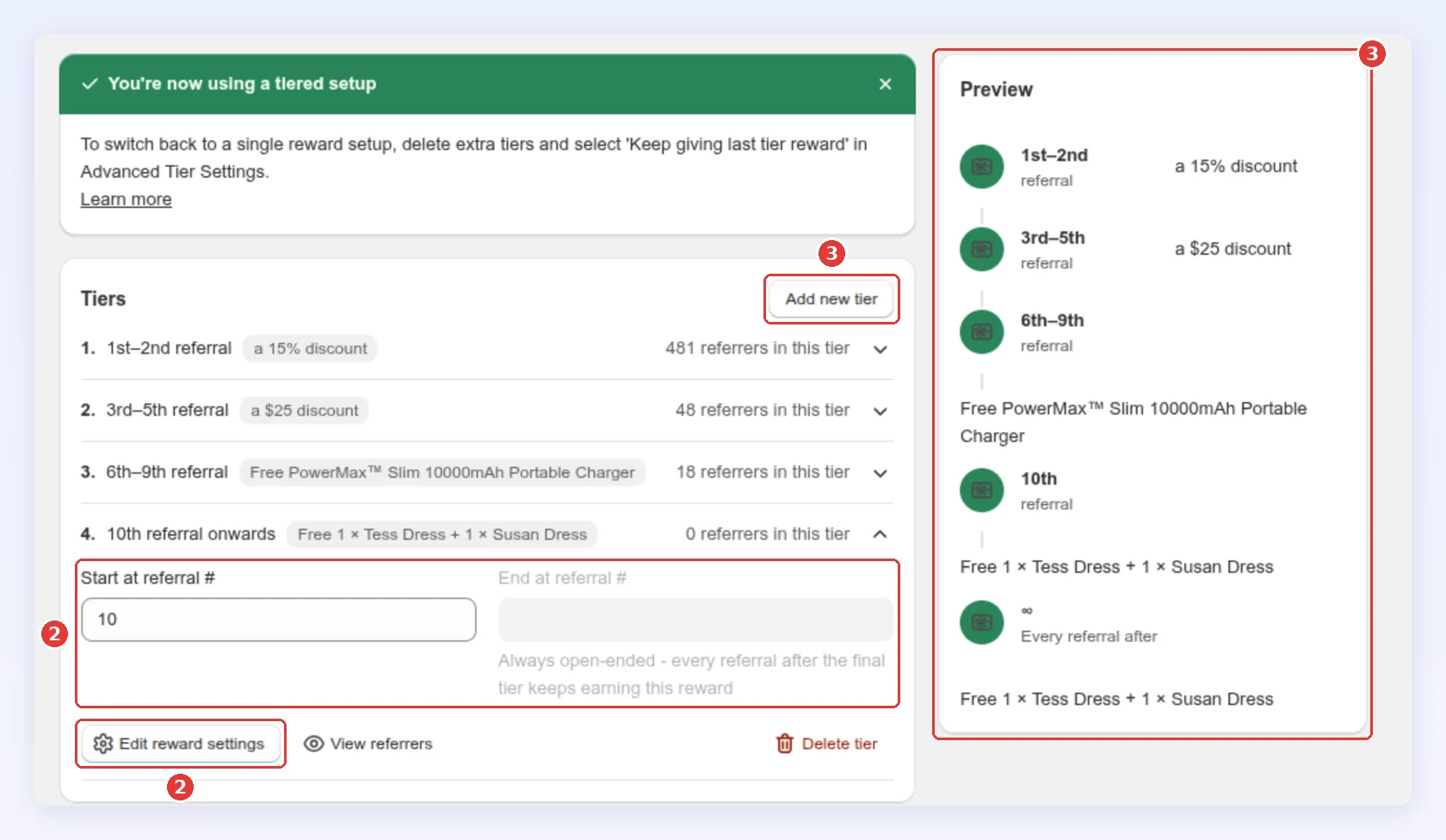
- Start at referral #: the first referral the tier pays for. Tier 1 always starts at #1.
- End at referral #: the last one, included (1–5 rewards the 5th).
- Leave End at referral # blank to reward one referral only, such as the 5th.
- Gaps are allowed: those referrals earn nothing but still count toward the total. Tiers can’t overlap.
Set up tiers
Section titled “Set up tiers”-
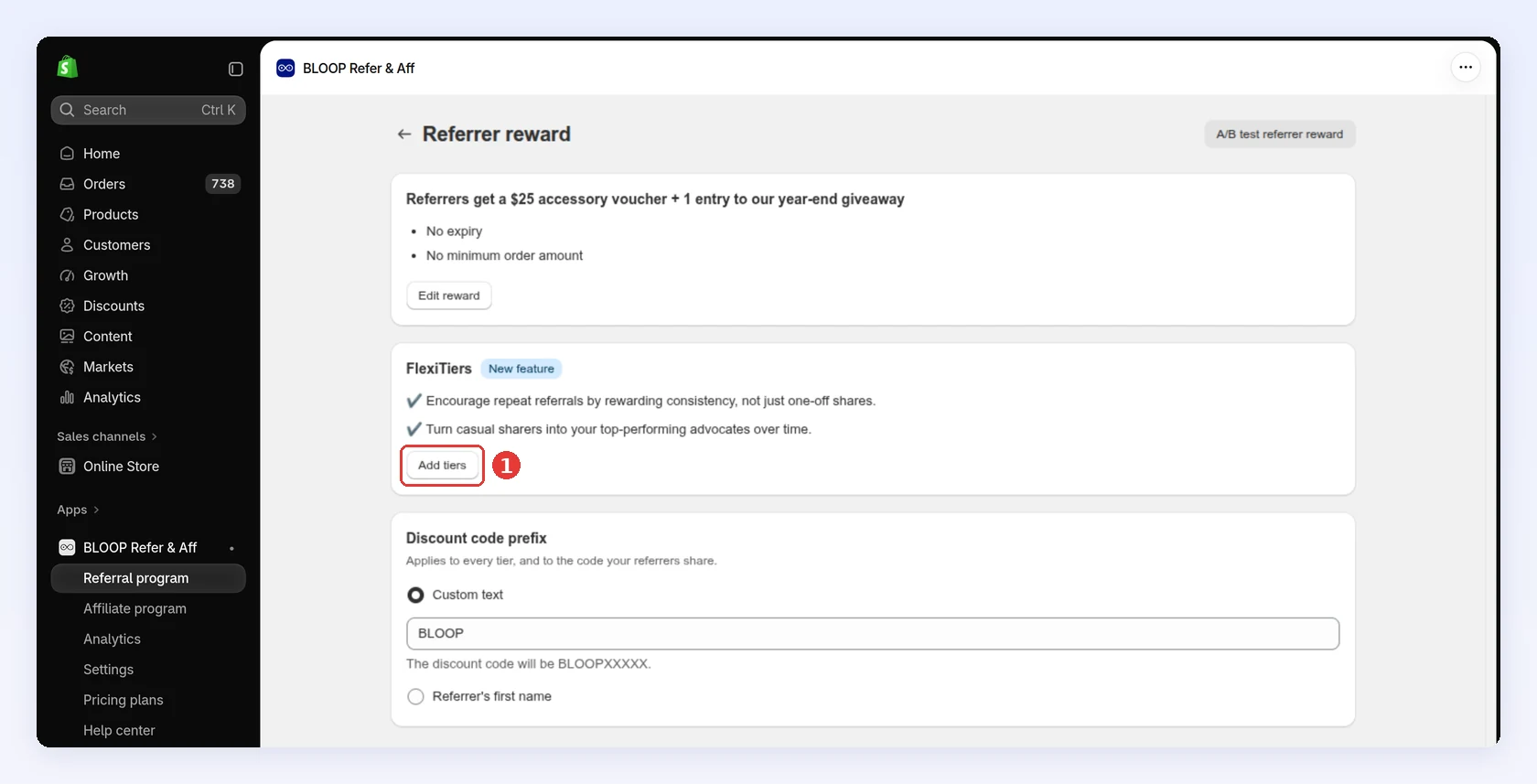
Open your campaign, go to Referrer reward and click Add tiers. Your current reward becomes Tier 1 (referral #1), and Tier 2 starts at #2:
-
For each tier, set Start at referral # and End at referral #, then click Edit reward settings to choose its reward. Each tier can also have its own text for customers.
-
Use Add new tier for more, and check Preview for the full sequence:
-
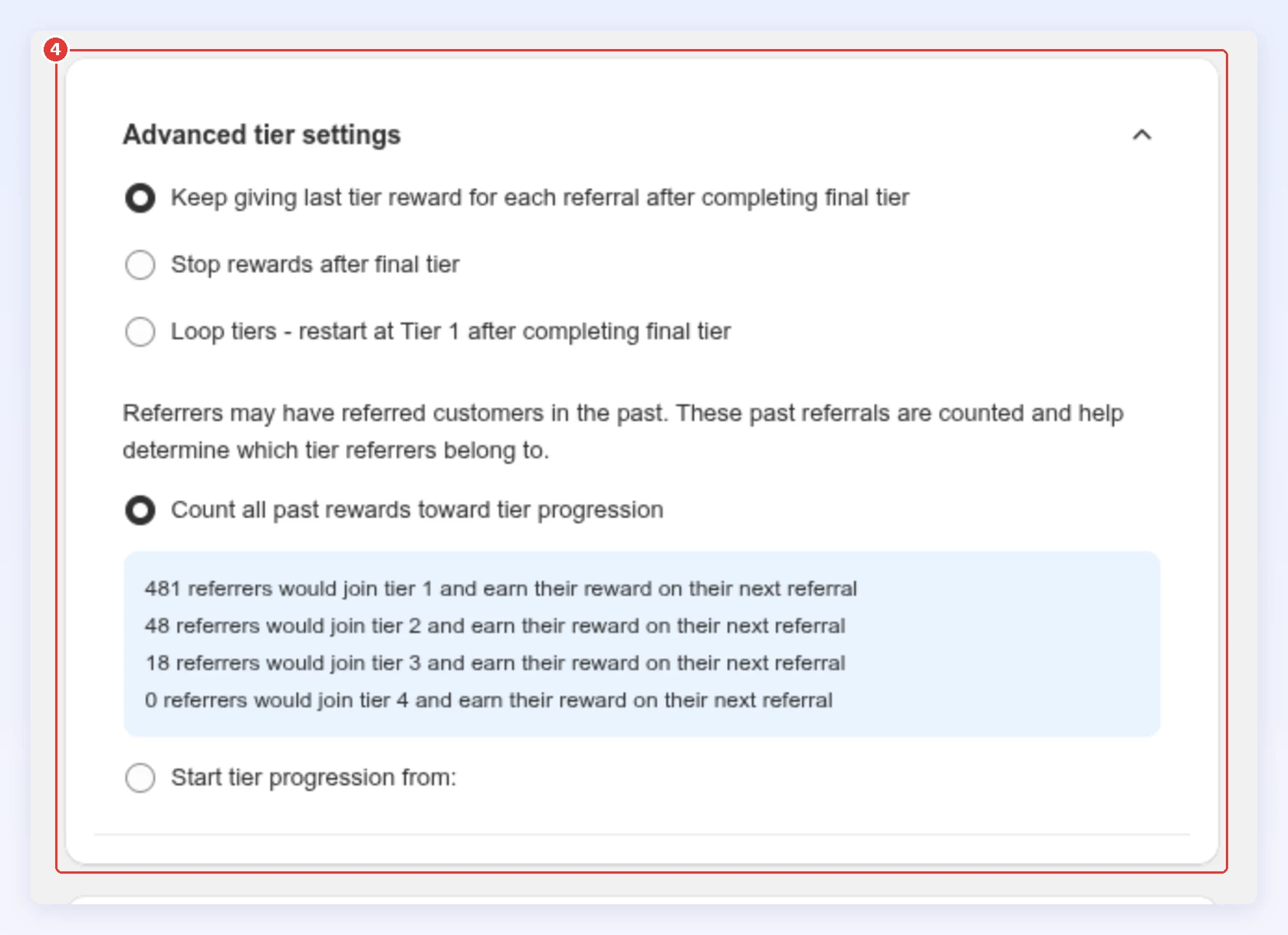
Choose your Advanced tier settings (below), then click Save in the bar at the top of the page:
After the final tier
Section titled “After the final tier”New tiers start on Keep giving last tier reward.
| Setting | What happens after the last tier |
|---|---|
| Keep giving last tier reward | Every referral keeps earning the last tier’s reward. Best for rewarding your top advocates. |
| Stop rewards after final tier | Referrals earn nothing. Best for milestone programs. |
| Loop tiers | The sequence restarts at Tier 1. The last tier needs an end, which sets the cycle length. Best for recurring promotions. |
How past referrals count
Section titled “How past referrals count”- Count all past rewards toward tier progression (default): referrals made before tiers count. Best for honoring existing referrers.
- Start tier progression from: only referrals after the date and time you pick count. Best for a fresh start.
Show referrers their progress
Section titled “Show referrers their progress”The referral hub shows each referrer a tier timeline, and the Referral progress email tells them how close they are to the next reward. Both work automatically.
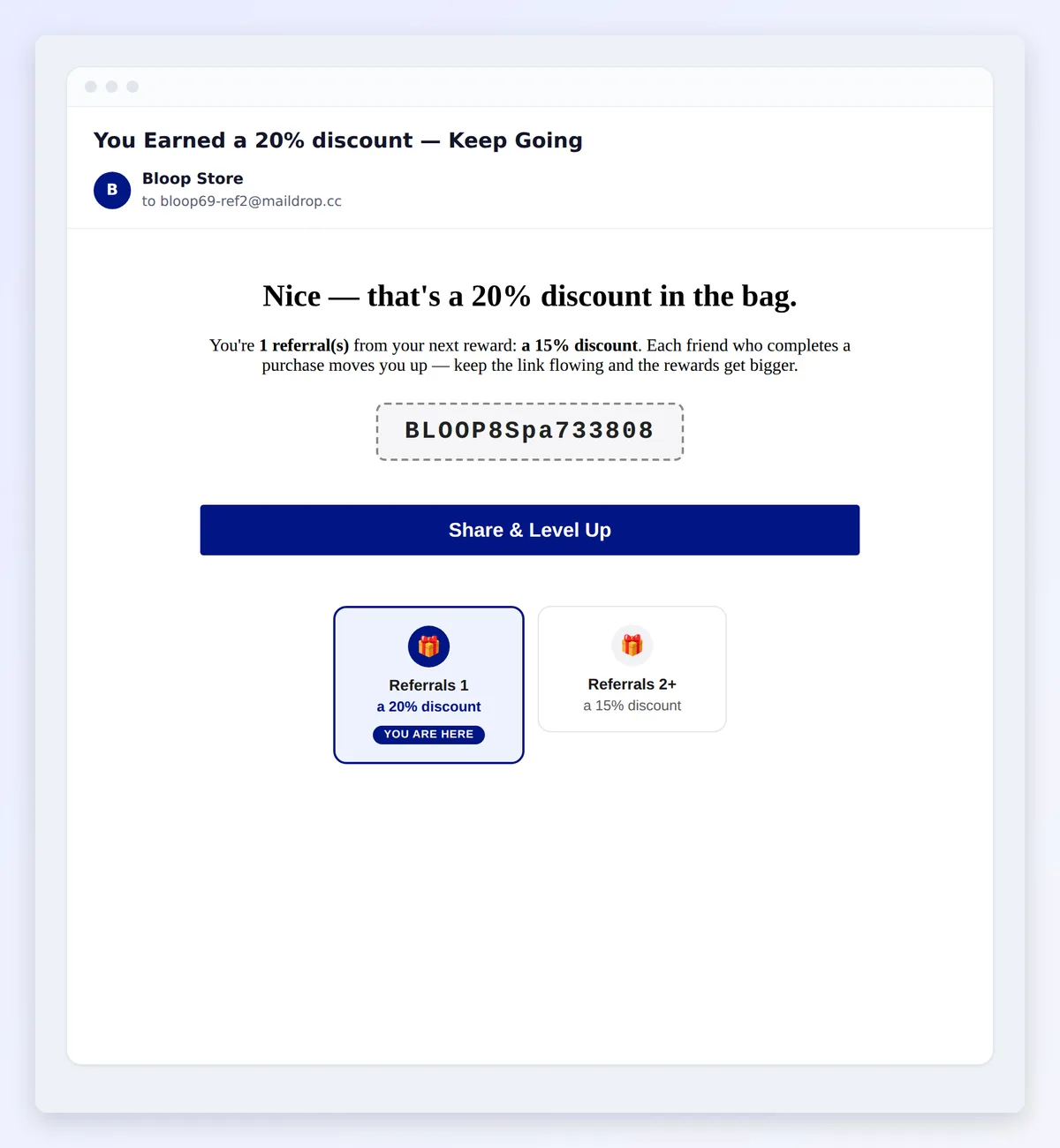
Rewards differ by tier? Use conditional blocks so one email reads right at every tier.
Things to know
Section titled “Things to know”- Each tier gives one reward, of any type, including a custom reward held for your approval.
- Tiers and A/B testing can’t run together. To test rewards, delete tiers down to one first.
- Delete tiers down to one to go back to a single reward.
- Changes apply to future referrals only. Rewards and codes already issued keep their tier and settings. See changing a reward after codes are issued.
- A revoked referral stops counting toward the referrer’s FlexiTiers progress, and their tier can move down. The exception is a reward that was issued and couldn’t be taken back (a code already used, store credit that couldn’t be deducted, cash already paid or a custom reward already delivered): that referral keeps counting. See revoking a reward.
Common mistakes to avoid
Section titled “Common mistakes to avoid”- Tiers too similar. A $5 to $7 jump won’t change behavior; make the top tier clearly better.
- Loop instead of Keep-last. Loop drops your best referrers back to your lowest rate.
Next steps
Section titled “Next steps”- Set the base rewards in Set up referrer and referee rewards.
- See each referrer’s tier in the Reward tier column of the campaign’s Referrers page. See Open a customer.
- Track tier performance in Analytics.