
How to connect Seal Subscriptions
Sell subscriptions through Seal? A referrer’s reward can go straight onto their subscription: a free product ships with the next delivery, a discount applies to the next charge. No code to enter.
What you’ll set up
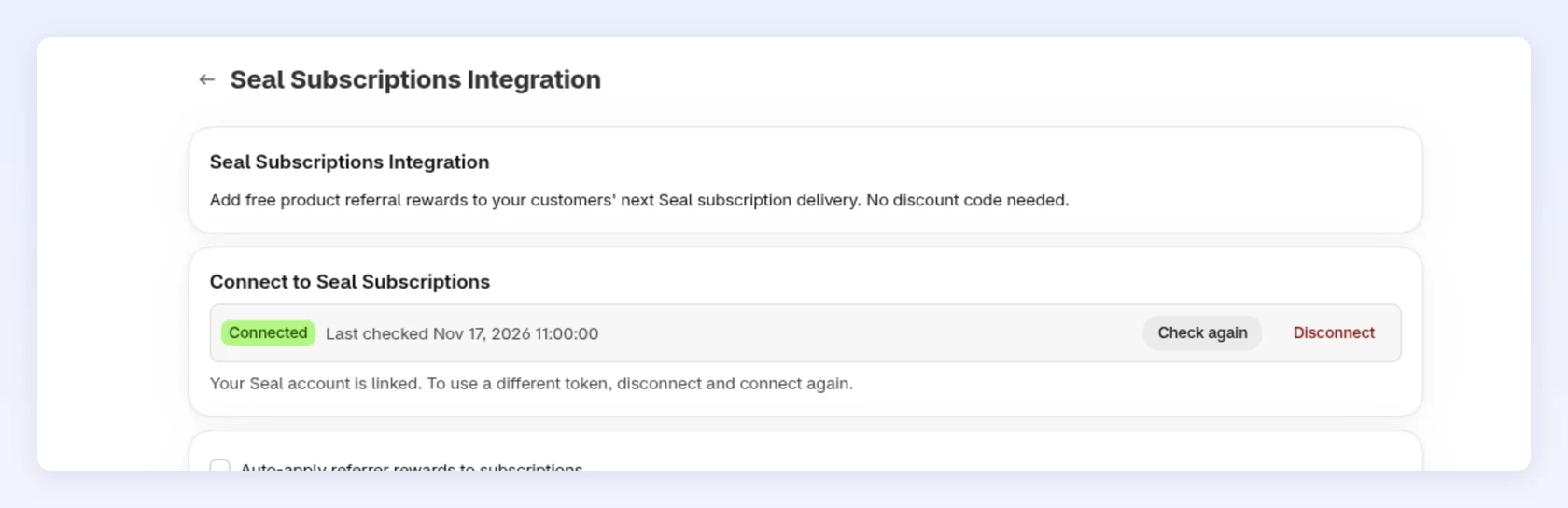
Section titled “What you’ll set up”- A connection between Bloop and your Seal account, using your Seal API token and secret
- Optionally, Auto-apply referrer rewards to subscriptions, so Bloop adds rewards for you
What Bloop creates for you
Section titled “What Bloop creates for you”| Setting | Starts as |
|---|---|
| Seal connection | Not connected |
| Auto-apply referrer rewards to subscriptions | Off. It shows once Seal is connected |
| Webhook in Seal | Added by Bloop when you connect, removed when you disconnect |
How to connect Seal Subscriptions
Section titled “How to connect Seal Subscriptions”-
Get your Seal API token and secret
- In Seal, go to Settings → General settings → API.
- Copy the API token and the API secret.
-
Connect Bloop to Seal → Click Connect
-
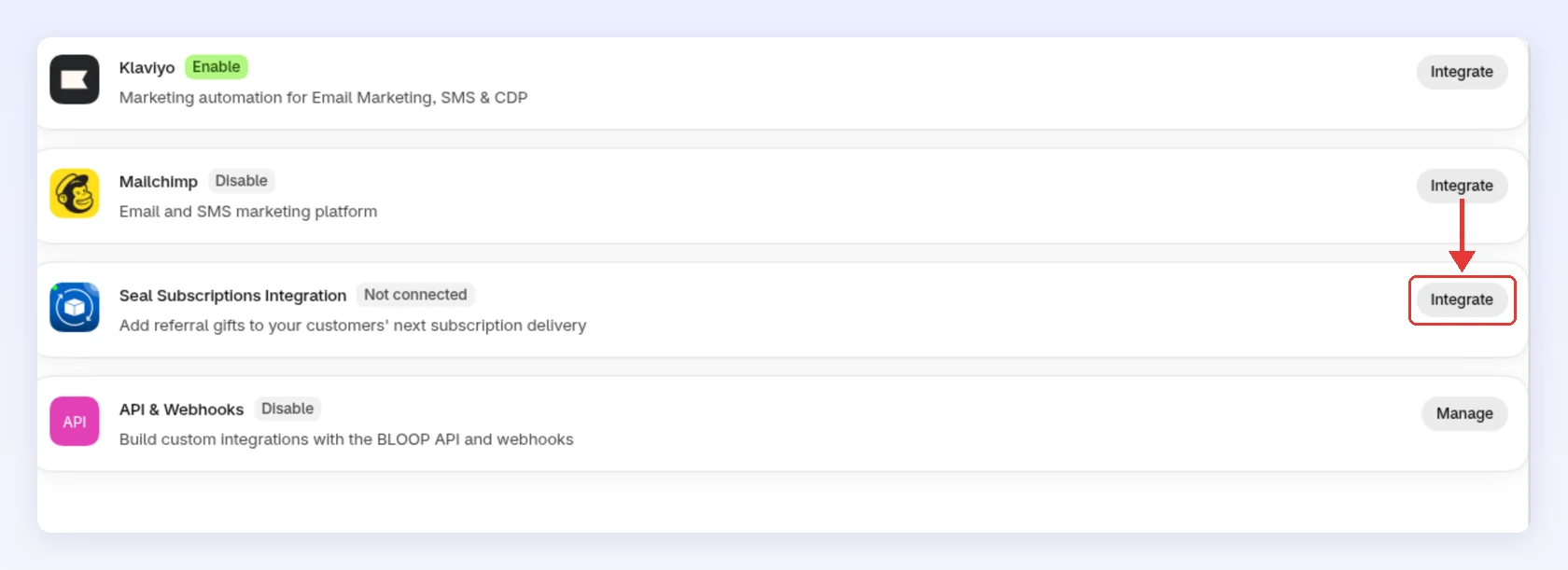
In Bloop, go to Settings → Store-wide → Integrations.
-
On Seal Subscriptions Integration, click Integrate:
-
Paste the token into API token and the secret into API secret.
-
Click Connect:
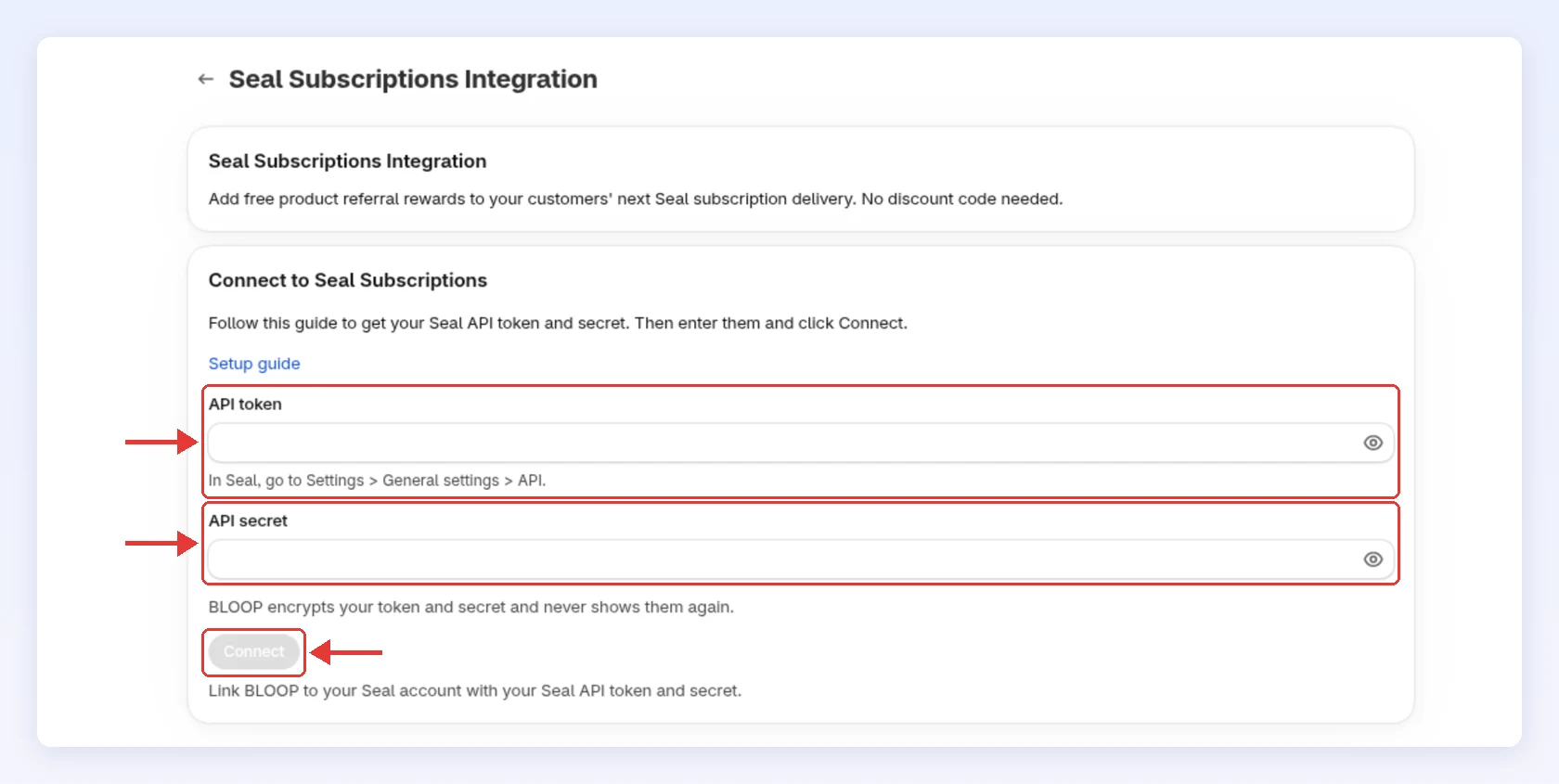
Bloop checks the token, saves it encrypted, never shows it again, and adds a webhook in Seal.
-
-
Choose how rewards reach subscriptions
-
Tick Auto-apply referrer rewards to subscriptions to let Bloop add rewards for you. It saves at once:
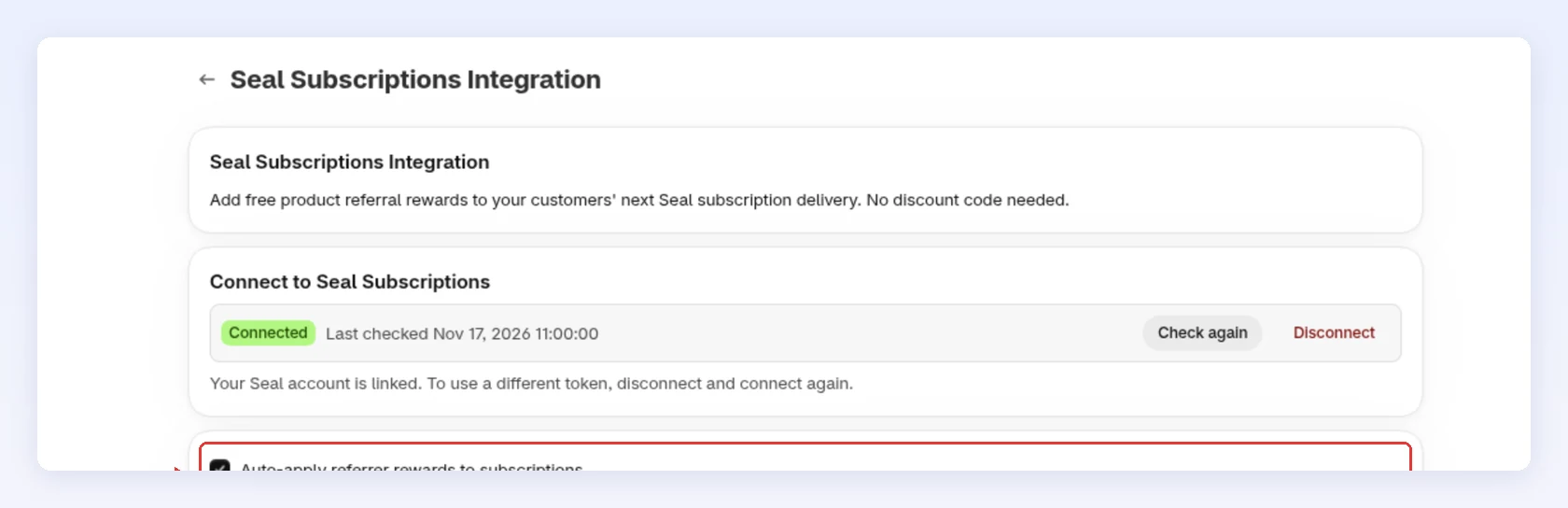
-
Leave it off if referrers should add free products themselves from their Referral Hub or customer account.
With it on, Bloop adds each reward to the referrer’s subscription that charges first. If a code can’t be added, it still works at checkout. See Rewards on Seal subscriptions.
-
Keep the connection healthy
Section titled “Keep the connection healthy”| You see | What it means | What to do |
|---|---|---|
| Check again | Re-tests your saved token | Click it after you fix something in Seal |
| Connection error badge | Seal rejected your token. No rewards are added until it works | Click Reconnect, paste a new token and secret, then Connect |
| Seal webhooks are being rejected | Bloop can’t verify Seal’s messages, so subscription changes don’t sync | Click Reconnect and re-enter the API secret from Seal |
| Disconnect | Bloop stops adding rewards and deletes the token, secret and webhook | Connect again any time |
To follow a reward, read Gift delivery on its order.
If the connection fails
Section titled “If the connection fails”| Message | What it means | What to do |
|---|---|---|
| Seal didn’t accept this token | Token or secret is wrong | Copy both again from Seal |
| Your Seal plan doesn’t include API access | Seal blocks API calls on your plan | Upgrade in Seal, then connect again. If the plan lapses later, upgrade and click Check again |
| Seal didn’t respond | Seal was unreachable | Try again in a few minutes |
Related
Section titled “Related”- Rewards on Seal subscriptions - what gets added and what referrers see
- Referral orders - the gift delivery on an order
- Referral hub - where referrers add a gift to their subscription